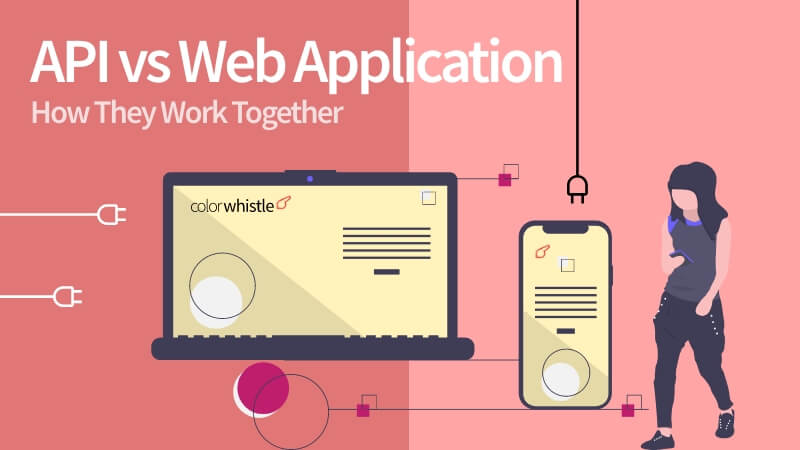
API vs Web Application Differences – How They Work Together

With half a decade of experience in creating tech content for education, healthcare, hospitality, and real estate, Nandhini excels at turning complex insights into clear, credible, in-depth, research-backed, and engaging content that helps readers make informed decisions.

Our authors are proven experts in their fields, writing on topics where they have demonstrated expertise. Every piece of content undergoes peer review and validation by industry professionals.
AI Summary
API vs Web Application Differences - How They Work Together
This post explores critical differences and collaboration between APIs and web applications, aiming to educate developers and business leaders. The key insight: APIs serve as backend communication interfaces enabling machine-to-machine interaction, while web applications provide user-facing experiences via browsers. It details how APIs power web apps by delivering data and logic, facilitating real-time updates, third-party integrations, and automation. Readers learn how decoupling frontend and backend via APIs enhances scalability and maintainability. The post serves those building scalable, user-centric digital systems, promising improved modularity and performance by leveraging API-web app synergy in modern software architecture.
In today’s digital ecosystem, the lines between applications, services, and data integration are increasingly blurred. Modern software is rarely isolated — it must communicate with other systems, devices, and platforms in real time. This has elevated the role of APIs (Application Programming Interfaces) from backend utilities to strategic building blocks in digital products, while web applications remain the primary way users interact with online services. Understanding how these technologies differ, complement each other, and work together is essential for businesses aiming to build scalable, performant, and user-centric systems in 2026
What is an API?
An API is a defined interface that lets different software components communicate with one another, programmatically exchanging data or triggering actions. APIs expose functionality — such as data retrieval, business logic, or service integration — in a standard format (typically JSON, XML, or gRPC). They do not provide a user interface; instead, they power digital experiences behind the scenes, allowing applications to interoperate seamlessly.
- Purpose: Enable machine-to-machine interaction and automation
- Access Pattern: Invoked via code, not intended for direct human interaction
- Data Format: Structured formats like JSON or XML
- Usage Context: Backend services, mobile apps, microservices, integrations
Also Read
What is a Web Application?
web application is a software program accessed through a web browser that delivers an interactive user interface. It’s designed for humans — complete with navigation, visuals, and interactive elements — to accomplish tasks like browsing content, submitting forms, or viewing dashboards. The web application typically consumes APIs to power its data and logic.
- Purpose: Provide an interactive experience for end-users via browser
- Access Pattern: Accessed by users through HTTP(S) URLs
- User Experience: Rich UI/UX with visuals and interaction
- Use Cases: E-commerce stores, dashboards, portals, SaaS platforms
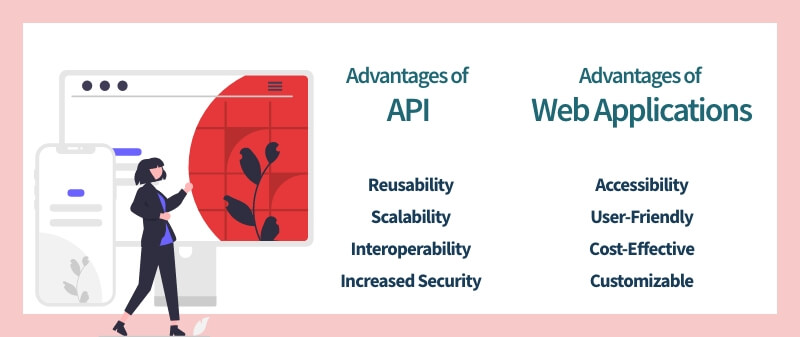
API vs Web Application
Aspect
API
Web Application
Primary Audience
Developers/Systems
End Users
Interaction Style
Programmatic endpoints
Browser-based UI
Role
Backend logic/data provider
Frontend experience presenter
User Experience
Designed for developers and automation, may not have a user-friendly interface
Designed for end-users with a focus on user experience and design
Security
Can include built-in security features such as authentication and authorization
Can include security features but often relies on other layers (e.g. web server) for security
Scalability
Can easily handle a large number of requests and can be load balanced
Can be more complex to scale and may require additional infrastructure
Customization
Flexible and customizable, can be used to meet specific needs
Customization is depends on the design and architecture of the web application.
API Uses For Web Application
Web Application APIs offer a wealth of opportunities allowing the to create powerful and innovative applications. From real-time data access to custom mobile apps, these tools provide an amazing range of capabilities!
- Decoupling Frontend from Backend: APIs create separation between the user interface and business logic/data layers, enabling web apps to be faster, more modular, and maintainable. This design is key to modern frameworks like React, Angular, and Vue.
- Real-Time Features: APIs (especially WebSocket or GraphQL subscriptions) enable real-time updates, collaborative features, and push notifications without full page reloads — essential for live dashboards, chats, and dynamic UIs.
- Third-party services: several web applications integrate with other third-party services using APIs, such as payment gateways, social media platforms, etc.
- Microservices architecture: different services communicate with each other using APIs to perform certain tasks.
- Mobile applications: mobile applications frequently use APIs to interact with a web application’s backend and retrieve data or perform actions on behalf of the user.
- Automation: APIs can automate processes and perform actions programmatically, such as sending notifications or updating data.
How APIs and Web Applications Work Together
APIs and web applications work together to deliver users an impeccable experience. A web application transmits requests to an API, and the API returns the required data. The web application then uses this data to display the information to the user. At a technical level, when a user interacts with a web application, the application sends a request to an API in the form of an HTTP request (such as a GET or POST request). The API processes the request and returns the requested data in the form of a response, usually in JSON or XML format. The web application, in turn, interprets the response and presents the information to the user like a picture-perfect puzzle piece. This seamless interaction highlights the essential API and Web Application differences, showcasing how they complement each other in delivering a cohesive user experience.
APIs also play an important role in decoupling the front-end and back-end of a web application. This means that the front-end (what the user interacts with) and back-end (the server-side logic) can be developed and maintained independently. This makes it easier to update and scale each component as needed without affecting the others. The API acts as a bridge between the front end and back end, allowing for the separation of concerns and easier maintenance.
Also Read
For instance, when you shop on an e-commerce web application, it acts as a messenger and sends a request to the store’s API, asking for information about the product, such as its features, snaps, and price. The API acts as the data hub and sends the requested data, which the web application then displays like a shop window, showcasing the goods.
Looking for Web App Development Services / Solutions?
Seize and experience the transformative impact of Web App Development Services & Solutions with ColorWhistle.

Close-out
APIs and web applications represent the vanguard of innovation in the technology sphere, serving as the fundamental mechanisms behind an array of cutting-edge applications. Despite this, while APIs continue to flourish and evolve, web applications leveraging SOAP and Service Oriented Architecture.
At ColorWhistle, our team of experts leverages a variety of APIs to enhance the functionality of the applications we build for our clients. By integrating these APIs, we create robust, feature-rich applications that meet the evolving needs of today’s users. Reach out to us through messaging or call at +1 210-787-3600 to make your online presence stand out from crowd.
What’s Next?
Now that you’ve had the chance to explore our blog, it’s time to take the next step and see what opportunities await!
Read Similar Content
Wish to Explore Our Services?
Have an Idea? or Project Scope?
In quest of the Perfect Web App Development Buddy?
Be unrestricted to click the other trendy writes under this title that suits your needs the best!
 Core Web Vitals Guide : Boost Website Perform...