




WordPress Plugin Development Best Practices

Powered by an expert content team, this blog blends SEO precision with compelling storytelling. Every insight is supported by data-driven research, ensuring content that ranks, engages, and drives conversions.

Our authors are proven experts in their fields, writing on topics where they have demonstrated expertise. Every piece of content undergoes peer review and validation by industry professionals.
AI Summary
Key Highlights of WordPress Plugin Development Best Practices
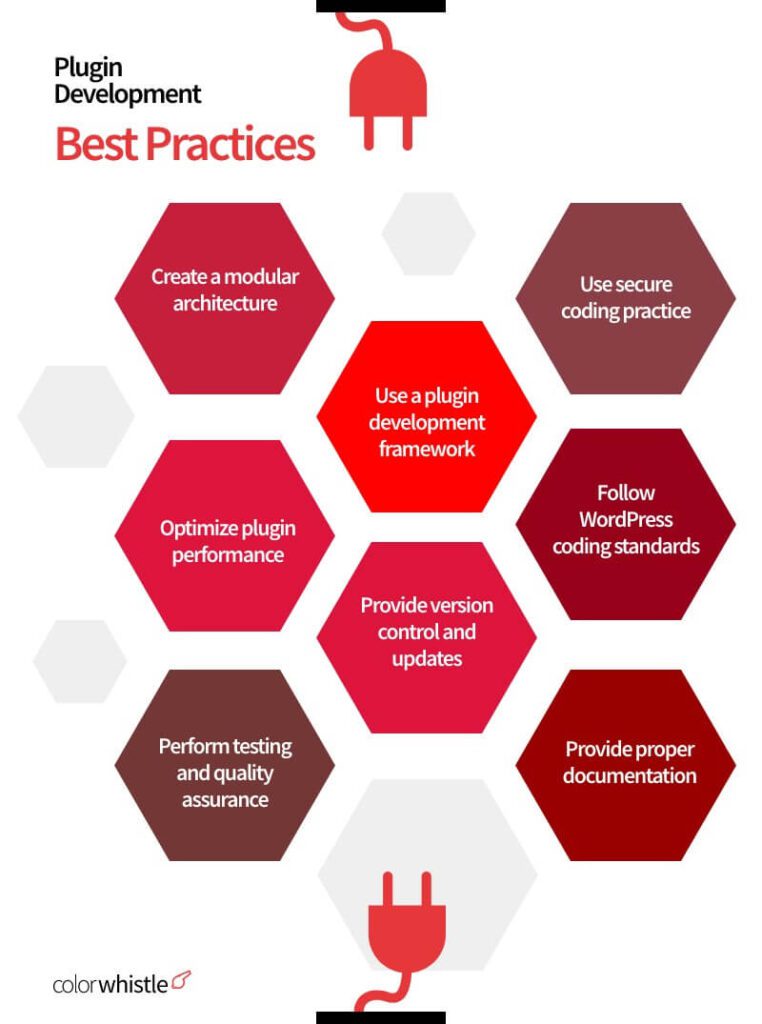
Building a high quality plugin today means more than adding features. It means delivering performance, security, scalability, and seamless compatibility with the modern WordPress ecosystem. Whether you are an experienced developer or just getting started, following proven best practices ensures your plugin enhances websites without creating conflicts or vulnerabilities.
Before starting WordPress plugin development, invest time in research and planning. Ask critical questions that shape the success of your plugin:
- Is the plugin genuinely useful to users
- Does it solve a real problem with unique value
- How will it improve the user experience
- What should the admin and front end experience look like
- How will it integrate with themes, plugins, and third party services
Once you have clarity, follow a structured development approach:
- Choose a unique, relevant name and verify trademark availability
- Create a clean and organized folder structure
- Add a proper plugin file header with name, version, author, and description
- Follow WordPress coding standards and security guidelines
- Sanitize, validate, and escape all inputs and outputs
- Ensure compatibility with the latest WordPress, PHP versions, and popular themes
- Write modular, maintainable code using hooks, filters, and namespaces
- Test thoroughly for performance, conflicts, and edge cases before release
- Optimize your plugin listing for visibility and conversions in the repository or marketplaces
Well built WordPress plugins significantly improve site functionality, while poorly built ones can slow down websites and create security risks. Applying these best practices helps you create reliable, high performance plugins that users can trust.
Why it’s Important to Follow the WordPress Plugin Guidelines?
Following WordPress plugin guidelines is critical for building plugins that are reliable, secure, and compatible with the evolving WordPress ecosystem. These standards help developers maintain consistency, improve code quality, and ensure a smooth experience for users across different themes, plugins, and WordPress versions.
Adhering to coding standards and plugin submission requirements also increases the chances of approval in the WordPress repository and builds trust with users.
- Ensures compatibility with the latest WordPress and PHP versions
- Encourages secure coding practices that protect user data
- Improves usability through clear structure and documentation for users and developers
Best Practices for WordPress Plugin Development
Here you go !!!!!
Plan and Design Your Plugin
Before you begin building a successful WordPress plugin, iclearly identify the needs of your target users and define a focused plan that addresses those requirements. Avoid feature overload. Instead, keep the plugin scope centered on solving a specific problem effectively.
Research the WordPress repository to confirm that no existing plugin already solves the same problem in a similar way. Your plugin should provide a unique approach and meaningful value to users’ websites.
A clear strategy for development and marketing is equally important. With a well defined vision, structured planning, and user focused design, you can create and promote a WordPress plugin that improves website functionality, usability, and accessibility.
WordPress Coding Standards and Best Practices Follow Them
To maintain consistency, readability, and long term maintainability, developers should strictly follow the WordPress Coding Standards when building plugins. These standards reduce common errors and make the code easy to understand for developers anywhere in the world.
Use well documented WordPress APIs and core functions. Write clean, efficient, and reusable code. Avoid deprecated functions and prevent PHP warnings or errors that may affect performance or stability.
WordPress also defines language specific and accessibility standards for working with PHP, JavaScript, HTML, and CSS. Following these guidelines helps you build high quality plugins that align with community expectations and deliver a smooth, accessible user experience.
Implement Security Measures
To ensure the security of your WordPress plugin, it’s essential to take certain measures. With WordPress being a prime target for hackers, it’s crucial to follow security best practices like input validation, output escaping, and nonces to prevent CSRF attacks. Vulnerable third-party libraries should be avoided, and user input should be sanitized.
Website security is essential for earning user trust, so investing more time in ensuring the security standard of your plugin is necessary. By utilizing Nonces, data can be sanitized, and SQL injections can be prevented. Validation and Sanitization will protect your plugin from any user-entered data.
Make use of the following,
- esc_url
- esc_url_raw
- esc_html
- esc_textarea
- esc_attr
- wp_filter_kses
- wp_insert_post
- esc_textarea
- $wpdb->update
- $wpdb->insert
Keeping your entire team on the same page is also essential when it comes to WordPress plugin security. Assigning roles to admins for restricted plugin functionality is recommended. If the plugin uses a directory that holds users’ files, it’s best to secure it with a password. Removing all unwanted and unused plugins is also essential.
Ensure to Name Your Plugin Files Uniquely
WordPress runs in a shared global environment where multiple plugins and themes coexist. If your plugin uses common function, variable, or class names, it can easily conflict with other plugins and cause unexpected issues.
To avoid this, always use a unique prefix for your functions, variables, constants, and classes. This simple practice prevents namespace collisions and keeps your plugin stable in any WordPress setup.
Following clear naming conventions also makes your code easier to identify, maintain, and scale while reducing the risk of conflicts that could break functionality.
Begin with Boilerplate Code
Starting WordPress development for a plugin project from scratch can be a time-consuming and challenging process. However, you can simplify the process by using a boilerplate – a solid foundation that provides guidelines and structure for plugin development.
The advantage of using a reliable boilerplate is that it allows other developers to easily contribute to your plugin while maintaining consistency throughout the development process.
Enable the WP_DEBUG Mode
Enabling the WP_DEBUG mode is a smart move while developing plugins with WordPress.
This can detect any errors that occur during the development process. Once the development process is complete, it’s recommended that you turn off WP_DEBUG. Otherwise, you might receive PHP notices or other minor error notifications that won’t have a significant impact on the plugin. It’s best to disable debugging mode when your plugin goes live.
Make Use of Auto Updates
WordPress plugin and theme developers could make automatic updates. This feature, however, is not turned on by default, and users must either enable it themselves or through your plugin. It’s generally not recommended to enable automatic updates through your plugin, as users should always be given the choice to opt-in.
That said, it’s important to remind users of the option for auto-updates through your plugin’s admin interface. When enabled, automatic updates can be a powerful tool for maintaining and improving your plugin. They allow for quick and easy deployment of security patches, hotfixes, and new versions.
If your plugin is listed on WordPress.org, you can benefit from automatic version management through their repositories. This means that users who have opted into automatic updates will receive new versions of your plugin as soon as they are released.
Maintain Clear and Well-Structured Folders
Keeping a well-organized folder structure is essential for any WordPress plugin development project. A clear structure not only helps to keep your files organized but also helps to streamline the development workflow.
When creating your plugin, make sure to designate specific folders for different file types. For instance, images should be placed in the /images folder, and avoid scattering it throughout your directory. This helps in locating the files you need and avoids the confusion that can come with disorganized files.
Having a well-organized file structure also makes it easier for other developers to contribute to your plugin in the future. It’s a small step that can make a big difference in the success of your WordPress plugin.
Add the Readme.Txt File
Adding a Readme.txt file during the WordPress plugin development is a crucial step toward ensuring your plugin can be successfully distributed and installed by users. Your plugin’s Readme.txt file should provide detailed information about your plugin, including its features, installation instructions, and usage guidelines. Your plugin cannot pass through the review team without a complete readme.txt file. In addition to facilitating the plugin’s distribution process, a complete Readme.txt file helps users understand how to use your plugin effectively.
When creating your plugin’s Readme.txt file, make sure to include all necessary information, such as a detailed description of the plugin, installation instructions, usage guidelines, version, PHP version, contributors, and any other relevant information. By providing a complete and accurate Readme.txt file, you can help ensure your plugin is both easy to install and use for users.
Test and Debug Your Plugin
Before releasing your plugin to the public, it’s crucial to thoroughly test it on different environments and devices. This ensures that the plugin is stable, works correctly, and does not conflict with other plugins or themes.
One essential tool to use during this process is WordPress debugging tools like WP_DEBUG, which helps identify and fix any errors that may arise. Another way to test your plugin is to use a staging site that mirrors your live site’s setup. This allows you to test the plugin without affecting your live site’s functionality. It’s also essential to test your plugin on different browsers, operating systems, and devices to ensure compatibility and responsiveness. This helps to avoid any user experience issues that may arise.
Testing your plugin extensively before releasing it can save you time and effort in the long run, as fixing bugs and conflicts after releasing the plugin can be challenging and may negatively impact your plugin’s reputation.
Write Clear and Concise Documentation
A clear and comprehensive documentation is essential, that outlines the functionality, installation, and usage of your plugin. The documentation should be regularly updated to ensure its accuracy.
In addition to this, it should include troubleshooting tips and frequently asked questions (FAQs) to help users resolve any issues they may encounter. By providing comprehensive documentation, users can understand the full potential of your plugin and how to use it effectively.
This can also lead to increased user satisfaction, and positive reviews, ultimately improving the overall success of your plugin.
Performance – Make it a Priority
Performance is a critical factor in WordPress plugin development. As more and more websites are using WordPress, it is essential to ensure that your plugin doesn’t slow down the site’s performance. Users today have a low tolerance for slow-loading sites, and they may abandon a site if it doesn’t load fast enough.
To optimize your plugin’s performance, start by minimizing the code and database queries. Every line of code and every query adds to the site’s load time. Therefore, it’s crucial to optimize your code and limit database queries as much as possible. Test your plugin’s performance on different devices and browsers to ensure that it works efficiently across all platforms. You can use tools like GTmetrix, Google PageSpeed Insights, or Pingdom to analyze your site’s performance and identify areas that need improvement.
Prioritizing performance in your WordPress plugin development can always help enhance the user experience, increase site traffic, and boost conversions.
Target International Audience
It is crucial to make your WordPress plugins accessible to a wider audience. Internationalization is the key to achieving this goal. By adopting an appropriate language style and avoiding non-standard characters and markups, you can ensure that your plugins can be easily translated into other languages. The WordPress Internationalization Guide is an excellent resource to learn more about these methods and ensure your plugin is easily translatable for a diverse global audience.
Make Use of Tools and Services If Needed
The WordPress plugin development process is made easier as there are many plugin development tools and services made available to developers. Tools like automated code checking, plugin development frameworks, version control systems, testing services, and more are easily available. By identifying the tools and services that are suitable for your needs and by implementing them you can enhance your WordPress plugin development process.
Also Read
And yes, in addition to the list above, choose the right distribution channels
Choosing the right distribution channels for your plugin is essential for reaching your target audience effectively. The official WordPress plugin repository is an excellent platform for reaching out to WordPress users. However, third-party marketplaces can also be useful for increasing your plugin’s exposure.
To ensure visibility and higher conversion rates, you must optimize your plugin listing with an attractive title, an accurate description, and relevant keywords. It would also help to add appealing screenshots and video demos to showcase your plugin’s features and functionality.
Looking for WordPress Development Services?
Seize and experience the transformative impact of WordPress solutions with ColorWhistle.

Are You Ready?
Building high-quality WordPress plugins requires a combination of technical expertise, strategic planning, and attention to detail. Following these best practices will help ensure that your plugins are optimized for performance, compatibility, and user satisfaction. From organizing your code and folder structure to providing thorough documentation and optimizing your plugin listing for visibility, there are many steps you can take to enhance the quality and effectiveness of your WordPress plugins.
By adopting these best practices, you can create plugins that are not only functional but also user-friendly, secure, and scalable. With the right approach, you can build plugins that help drive the success of your WordPress website and delight your users.
For more professional WordPress plugin development services, or if you want to hire a WordPress developer for your plugin / WordPress development services you can contact ColorWhistle by sending us a message or call us at +1 (210) 787-3600, we’ll get back to you at the earliest. We provide services tailored to your requirements that suit your business.
What’s Next?
Now that you’ve had the chance to explore our blog, it’s time to take the next step and see what opportunities await!
Read Similar Content
Wish to Explore Our Services?
Have an Idea? or Project Scope?
In quest of the Perfect WordPress Solutions Buddy?
Be unrestricted to click the other trendy writes under this title that suits your needs the best!
 AI-Assisted Website Design: Enhancing Creativ...







It was such a great article which was on custom wordpress development. Here, I would like to add some easy points in your blog which are as follows.
1.Planning and Requirements Gathering
2.Development Environment
3.Theme Development
4.Plugin Development
5.Performance Optimization
6.Accessibility
Hope, these points might help you.