




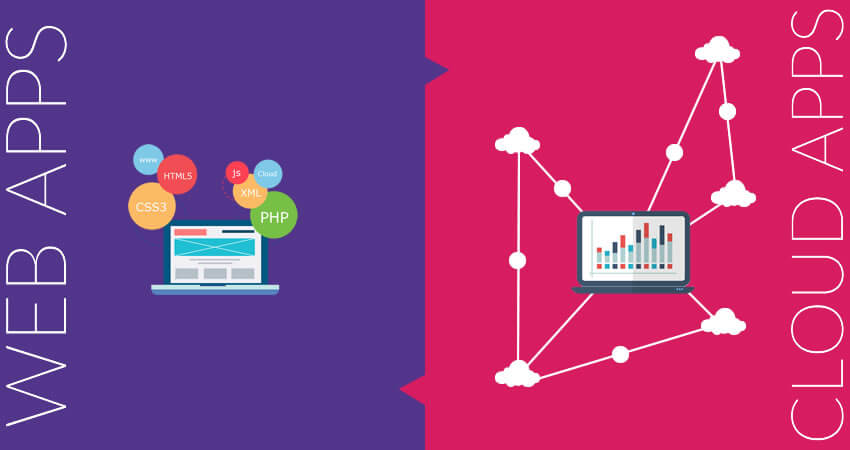
Web app vs Cloud app

Sankar, the visionary behind ColorWhistle, brings 20 years of expertise in website design and digital marketing. A strategic thinker with a passion for innovation, he has led countless businesses to digital success with cutting-edge solutions and client-focused excellence.

Our authors are proven experts in their fields, writing on topics where they have demonstrated expertise. Every piece of content undergoes peer review and validation by industry professionals.
AI Summary
A Quick Summary of Web App vs Cloud App Differences
This serves as a practical guide for understanding the distinctions between web and cloud apps. The key insight: web apps depend on browsers and limited customization, while cloud apps offer broader access, offline use, and multi-tenancy. The post explains cloud computing basics, highlights examples like Gmail and Twitter for cloud apps, and online banking for web apps. It outlines differences in access, storage, and customization, helping developers and businesses decide which app type suits their scalability and functionality needs. It recommends leveraging cloud platforms like Azure for cost-effective, scalable app development and evolution.
What are the differences between web and cloud apps?
Web apps and cloud apps are closely related, but the terms are not interchangeable.
Many people use “web apps” and “cloud apps” interchangeably in everyday conversations. This is understandable, as both are accessed online and often feel similar from a user’s perspective. However, the confusion usually comes from the assumption that if an application runs on the internet, it must automatically be a web app.
In reality, the term web app refers specifically to applications that depend on a web browser to function. These applications run inside browsers and rely on web technologies such as HTML, CSS, and JavaScript for execution.
Cloud apps, on the other hand, are defined by where they are hosted and how they scale. While they may also be accessed through browsers, their core distinction lies in their cloud-based architecture, distributed resources, and ability to scale dynamically.
In this post, we’ll break down the differences between web apps and cloud apps in a clear and practical way. To start, let’s first understand what is meant by a web app and a cloud app.
The Cloud
The term cloud in cloud apps refers to a computing architecture where data and software are stored and accessed over the Internet rather than on a local computer or hard drive. This allows users to access files, applications, and services remotely through online infrastructure such as cloud storage and cloud-based platforms.
In simple terms, the cloud is another way of referring to the Internet. As explained in this PC Magazine article, the word “cloud” originated as a visual metaphor used in diagrams and flowcharts, where the Internet was represented as a cloud to abstract its underlying complexity.
When data and applications are accessed over the Internet rather than from a local system, the process is considered cloud computing. Most users are unaware of the extensive processing that happens behind the scenes on remote servers. Cloud computing enables access from anywhere, at any time, as long as there is an internet connection. These cloud environments can be public, private, or hybrid, depending on security, scalability, and control requirements.
Cloud Apps
Cloud applications are not hosted locally on user devices. Instead, they operate on cloud infrastructure supported by advanced cloud governance systems that ensure security, high availability, compliance, and smooth integration with other platforms and services.
The major features of cloud applications include:
- Application data is stored in the cloud
- Data can be cached locally and accessed offline in certain scenarios
- Can be accessed through:
- Web browsers
- Custom-built applications for internet-connected devices such as mobile phones and tablets
- Can be used to access:
- On-demand computing resources
- Application development platforms
- Cloud-based storage services
- Designed to support different user roles, permissions, and usage requirements
Examples of Cloud Apps
Email is one of the most common yet often overlooked examples of a cloud application. As explained in this cloud app overview, email was designed from the beginning to store data and run on remote servers rather than on local machines.
Applications such as Outlook or Apple Mail act as interfaces that allow users to access emails stored in the cloud through services like Gmail, Yahoo Mail, or Hotmail. The actual data and processing happen in cloud infrastructure, while users can access their emails through web browsers or dedicated applications. In many cases, email can also be configured for offline access, further highlighting the flexibility of cloud-based systems.
Other well-known examples of cloud applications include Dropbox, SugarSync, ShareFile, Salesforce, NetSuite, Mozy, Zoho, and Evernote. These platforms store data in the cloud while allowing users to access it across multiple devices and interfaces.
An interesting perspective shared by Joseph Janecka on CTO Informer highlights Twitter as a cloud application. Twitter can be accessed through mobile apps without relying on a web browser, yet the application itself does not fully reside on the device. Instead, the mobile phone acts as an interface, while the data, logic, and services operate within the cloud.
The Web Apps
The defining characteristic of web applications is that they are designed to run primarily within web browsers. Their architecture typically combines client-side and server-side scripting, where the browser-based client depends on web servers to communicate with the underlying infrastructure that delivers core functionality.
Take online banking as an example. The client interface is the bank’s website accessed through a web browser. This interface communicates with the bank’s core systems via web servers. No sensitive data is stored on the client side. All information is securely stored, processed, and verified on the bank’s servers.
Another distinguishing aspect of many web apps such as WebEx, online shopping platforms, and even Facebook is that user-level customization is often limited. When software is positioned as a cloud app, it is important to confirm that it truly supports cloud characteristics such as scalability, flexibility, and advanced customization.
Web apps generally do not support multi-tenancy by default. This means they are not inherently designed to accommodate varying requirements across multiple users or organizations. In contrast, a cloud-based data backup application may support different security policies, backup schedules, storage limits, and compression settings for different users.
The most significant difference lies in accessibility. Web apps are usually accessed exclusively through web browsers. For a web app to evolve into a cloud app, it must become accessible across multiple interfaces and devices, even without relying solely on a browser.
Despite these distinctions, there is no single, universally accepted definition separating web apps from cloud apps. Joseph Janecka suggests that web apps can be viewed as a subset of cloud apps, proposing that applications should instead be categorized as cloud services or web services based on how they deliver value.
Others argue that web apps can evolve into cloud apps through modern frameworks and platforms, as highlighted in discussions around cloud technologies. According to this perspective, applications should ideally leverage cloud infrastructure to maximize scalability, resilience, and reach.
Modern web app developers are increasingly encouraged to take advantage of cloud-native tools due to their cost efficiency and faster time to market. This shift allows traditional web applications to transition smoothly into cloud-based solutions.
Some widely used cloud app development platforms include Microsoft Azure, AppFog, and Google App Engine. While opinions differ on where exactly the line between web apps and cloud apps should be drawn, most agree that the key differences revolve around:
- Nature of access and data storage
- Level of customization and flexibility
- Ability to support multiple users and requirements (multi-tenancy)
Looking for Web App Development Services / Solutions?
Seize and experience the transformative impact of Web App Development Services & Solutions with ColorWhistle.

Ultimately, the choice between a web app and a cloud app depends on your business needs, scalability goals, and desired functionality. An experienced application development specialist can help you determine which approach best aligns with your long-term objectives.
In quest of the Perfect Web App Development Buddy?
Be unrestricted to click the other trendy writes under this title that suits your needs the best!
 Online Education WordPress LMS Websites: Buil...









Very useful information shared here. Keep up the good work!