




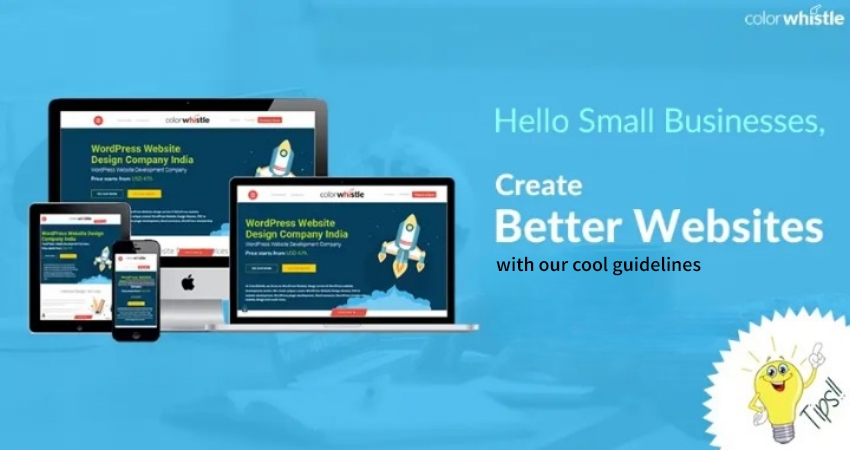
Creating A Business Website For Start-Up Companies

Powered by an expert content team, this blog blends SEO precision with compelling storytelling. Every insight is supported by data-driven research, ensuring content that ranks, engages, and drives conversions.

Our authors are proven experts in their fields, writing on topics where they have demonstrated expertise. Every piece of content undergoes peer review and validation by industry professionals.
AI Summary
A Quick Summary of Creating Business Websites for Startups
This serves as a practical guide for startup founders and small business owners aiming to build an effective business website. The key insight: a website is essential for legitimacy, customer reach, and search visibility. The blog covers critical steps including setting clear goals, choosing a domain name, selecting reliable web hosting, constructing a user-friendly layout with CMS platforms like WordPress, outlining content, and designing a unique logo. Readers gain beginner-friendly, actionable advice to create a functional web presence that boosts credibility and customer engagement, ultimately saving time and reducing risks associated with poor online visibility.
Let’s get straight to the point. If you’re here, you want to know how to create a website for your startup.
You’re in the right place.
Despite how digital-first the world has become, a surprising number of small businesses and startups still operate without a professional website. In 2026, this can significantly limit growth, visibility, and credibility.
Did you know?
According to the recent survey from PRNewswire, 27% of small businesses still don’t have a website.
If your startup does not have a website, here’s what you’re missing out on:
Less traction in search results
- Without a website, your business is less likely to appear in search engine results when potential customers look for your products or services.
No clear place for customers to learn about your offerings
- When consumers want more information about your service or product, a website provides a reliable and detailed source they can trust.
Overdependence on social networks
- Social media platforms frequently change their algorithms, which can drastically reduce your visibility and reach without warning.
Reduced credibility and trust
- A business without a website can appear outdated or less legitimate, raising doubts for potential customers who expect a professional online presence.
How to Create a Business Website for Your Startups?
A business website is no longer a luxury. It is a necessity for maintaining visibility, credibility, and growth in today’s digital-first environment.
Consumers rely on the internet for everything from researching products and services to checking business hours and reviews. Even a small local business needs a web presence to stay discoverable and competitive.
Creating a website for your startup may feel overwhelming, especially if you have little or no experience in web design. If your requirements are complex or your business needs a large, feature-rich website, working with a professional digital agency is often the best approach. However, for simple and basic websites, many startups can get started on their own using modern tools and platforms.
The following steps will walk you through the fundamentals of creating a business website for your startup and share practical tips to help you design a site that supports your business goals in 2026.
Also Read
Who will find this useful?
There are many articles that explain how to create a website, but most are either too technical or lack practical detail.
This guide is different. It is designed to help a wide range of readers, from complete beginners to tech-savvy users. The content is beginner-friendly, yet detailed enough to walk you through the key steps involved in setting up a business website with confidence.
Whether you are launching your first startup or refining your online presence, this article provides clear, actionable guidance without unnecessary complexity.
1. Decide Your Goals
A business website can serve different purposes, from simply sharing information about your company to acting as a full e-commerce platform. Website development for small business should always start with a clear understanding of what you want your website to achieve.
Before building your website, identify its primary goals. This decision will influence your website’s design, functionality, potential risks, and ongoing responsibilities.
In general, the more interactive a website is, the more responsibility it carries. Some businesses need only a simple website that provides essential information such as products or services, business hours, and location. Others may want to engage users through features like contact forms, promotions, coupons, contests, or customer discussions.
If your website does not process payments, development and maintenance are usually simpler. However, if you are a retailer or service provider, you may need to integrate external payment gateways or third-party services to handle transactions securely.
Clearly defining what you want your website to do will guide every step of development moving forward. Your marketing goals, legal requirements, and potential risks should always shape your website strategy and functionality.
Tips
Regardless of your website’s core goals, always prioritize user experience. Visitors should be able to navigate your website easily, find information quickly, and complete actions without confusion. A clear structure, intuitive navigation, and fast-loading pages play a key role in keeping users engaged
2. Choose A Domain Name
Just as people recognize your business by its name, your domain name is how your website is identified online. It is your website’s unique address on the internet and typically costs between $8 and $35 per year.
Choosing the right domain name is more important than many startups realize. Even with a well-designed website, the wrong domain name can make your business harder to find, remember, or trust.
Your domain name plays a key role in branding. It helps establish credibility, improves recall, and makes it easier for customers to discover your business online.
Decide on a domain name that reflects your brand clearly and simply, such as www.apple.com. Once you have a name in mind, check its availability using a domain search tool like GoDaddy. If the search leads you to a registration page, the domain is available. If not, you may need to modify the name or explore alternatives.
What are some tips to choose a domain name?
- Choose a simple and memorable name. Eg- www.paypal.com
- Go with “.com”
- Must be easy to type, pronounce, and spell Eg- Facebook, Bing.
- Avoid using hyphens and numbers.
- Select a name that doesn’t bring up any copyright issue.
- Shorter is always better Eg- www.lifehacker.com
- Make sure the name is available on social media websites.
Tips
If the domain name is already taken, check the thesaurus for alternate words. Or use a tagline, acronym, nickname, or phrase you say all the time.
3. Select A Web Host
Before creating a small business website, it needs a place to live so it can be accessed on the internet. This is where a web hosting provider comes in. A web host connects your website to the internet and stores all the files, data, and content that make your site accessible to users.
Choosing a reliable web hosting provider is an important step before launching your website. The performance, security, and uptime of your site depend heavily on your hosting choice.
Think of your web hosting company as the foundation or hardware of your website. It is where all your website information is stored and managed, ensuring your site runs smoothly and remains available to visitors at all times.
How a wrong hosting provider can affect your website?
Loss of revenue
- Frequent downtime can prevent potential customers from accessing your website, learning about your business, or completing inquiries and purchases.
Negative impact on SEO
- Search engines factor in website speed and uptime when ranking pages. Slow-loading websites or frequent outages can hurt your search engine rankings and reduce organic traffic.
Increased security risks
- While no website is completely immune to security threats, a reputable hosting provider offers regular backups, security monitoring, and recovery support in case your website is compromised.
Tips
Depending on your budget and performance needs, you can choose between shared hosting, VPS, or dedicated hosting. Shared hosting means your website shares server resources with other sites, which can impact speed during high traffic. Dedicated hosting offers your own private server, delivering better performance, stability, and control, making it the ideal choice for growing businesses with higher traffic demands.
4. Construct A Layout
Now it’s time to start building your website.
Whether you choose to work with a creative digital agency or build the site yourself, it’s important to plan how users will move through your website. A clear structure helps guide visitors to the information they need and improves overall user experience.
At this stage, you will likely encounter the term CMS (Content Management System). A CMS is a dashboard that allows you to update and manage your website content easily. Using a CMS, you can add images, create new pages, publish blog posts, and make updates without technical expertise.
Before selecting a CMS, decide which pages your website needs. Most business websites include a homepage, an “About Us” page, a blog to demonstrate expertise, and a “Contact Us” page. Additional pages depend on your products or services. Reviewing competitor websites in your industry can help you understand common page structures.
Today, most users browse websites on mobile devices rather than desktops. As a result, having a mobile-friendly, responsive layout is essential. The good news is that platforms like WordPress offer a wide range of responsive themes that automatically adapt to different screen sizes.
Which CMS platform should you choose?
WordPress
- WordPress is the most widely used CMS and remains the best option for most startups and small businesses. It offers beginner-friendly tools, a vast plugin ecosystem, and flexibility for advanced users. WordPress is also mobile-responsive and SEO-friendly, making it a strong choice for visibility and growth.
JoomlaJoomla
- Joomla allows you to build and manage dynamic websites with more complex content structures. It is suitable for eCommerce sites, membership-based platforms, or websites that require extensive content management. However, it may require a slightly steeper learning curve than WordPress.
DrupalDrupal
- Drupal provides a highly structured and secure framework for website development. It typically requires a basic understanding of HTML and web concepts, making it more suitable for experienced developers. While powerful and scalable, Drupal is generally not recommended for beginners.
5. Outline The Content Of Your Website
Once you’ve chosen your platform, decide what your small business website should communicate.
Many business owners struggle with what to say on their website development ColorWhistle pages. Keep your content simple and focused. Clearly explain your services and include clear actions such as contact forms or call-to-action buttons.
Since most users browse on mobile devices, prioritize mobile-friendly content by highlighting essential elements like inquiry forms, contact options, and lead capture.
Tips
If you’re still struggling to write content for your website, go through these articles 7 Key Pieces of Advice about Web Content Strategy from Content Marketing Institute, they are big players in this field.
6. Pick A Logo
It doesn’t matter if you’re working with a top creative digital agency, or doing it on your own; you have to give a unique identity for your business through a logo.
If you’re already using a logo in the offline world, you can use it on your website. But, if you don’t have one or want to upgrade your existing one, these are some of the ways you can create one.
3 Key Ways To Create A Logo
Do it yourself
- There are many logo designing software’s like GraphicSprings, Tailor Brands which will allow you to create appealing logos on your own. In Tailor Brands, if you find a design you like, you can pay around $25 and download it.
Use 99Designs.com
- They run contests where multiple designers compete to design your logo. It is a great option because you can see the expertise of many professionals and yet pay for the one you choose. Price ranges from $300-$800, it depends on the number designers you want competing. Bear in mind, there is no guarantee that you’ll get a unique logo design.
Hire a professional logo designer
- Although they can be a bit expensive, you can get full worth for the money you invest with a professional designer. Experienced logo designers will use their creativity, understand your business and design a perfect logo.
Tips
To make an informed decision, go through these topics, How to Design and Create the Perfect Logo for Your Business and Brand, Explained to Creating Stunning Logos for Your Brand.
7. Design Your Website
Now that you have all the pieces to start a website, it’s time to put them together.
It takes less than 3 seconds to decide whether a user wants to stay or leave a website. Therefore, it is imperative to make a good first impression. Here are few tips to keep your website for small business engaging to users.
Also Read
Tips to keep your small business website engaging to users.
Clear navigation
- Visitors should be able to understand your business, view pricing, and contact you without effort. Confusing navigation leads to frustration and lost users.
Call-to-actions
- Well-placed and visually clear buttons guide users to take action quickly, such as contacting you or requesting a quote
Website should load quickly
- Users expect websites to load instantly. Slow pages drive visitors away, so choose a reliable hosting provider and optimize your site for speed
Minimalistic design
- Avoid cluttered layouts and excessive content. Simple, clean designs perform better and are easier to maintain. CMS platforms like WordPress offer many lightweight themes to choose from.
8. Test & Publish Your Website
Before launching your website, ensure it works smoothly across major browsers such as Chrome, Firefox, and Safari. Review every page and feature to confirm that images load correctly, links function properly, and the layout remains consistent.
It is also important to set up website analytics before going live. Analytics tools help you track traffic, monitor page performance, and understand how users interact with your site. These insights allow you to identify what works well and where improvements are needed after launch.
Consider Hiring A Web Design Company to Build Your Small Business Website
Consumers are evaluating a company before they decide to make a purchase, and if your website doesn’t seem professional they will simply move on to your competitor.
While sales and credibility are two main factors for having a professional website for small business, there are some more reasons as to why you have to choose a creative digital agency, to start a website.
Why Should You Hire A Web Design Company?
- They will be aware of the latest design trends.
- Understands technology.
- Help to build a user-friendly website.
- Will have the ability to figure out what to focus on.
- Create a website in less time.
- Give you instructions on how to maintain your website.
Above all, when you hire a web design company, you will not have the hassle of figuring out how to start a website. You can concentrate on growing your business.
When you employ professional small business website maintenance services, you can relax and rest assured that you did not create a poorly constructed website.
Looking for Web Development Services?
Seize and experience the transformative impact of Web Development Services & Solutions with ColorWhistle.

Over To You
Recent industry research consistently shows that the vast majority of small businesses now recognize the importance of having a website. This shift reflects a growing awareness that a strong online presence is no longer optional but essential for visibility, credibility, and growth.
The digital landscape continues to evolve rapidly. Tools, platforms, and user expectations change faster than ever. However, the core principles of building and growing a small business remain the same: clarity, trust, accessibility, and consistency.
If you are planning to create a website for your small business, following the steps outlined in this guide will give you a strong foundation. Once your website is live, you’ll begin to see clearer branding, better reach, and more opportunities to connect with customers.
Stay consistent, keep improving, and don’t overthink the process.
You’re on the right track. All the best!
In quest of the Perfect Web Development Services & Solutions Buddy?
Be unrestricted to click the other trendy writes under this title that suits your needs the best!
- Web Design Blogs Every Designer Must Follow
- Web Application Development vs Website Development – How They Differ
 All-Purpose Font Combinations / Modern Font P...








Great article. I cover every point of my doubts. I loved this post.
Thank you so much for this article.
Thanks for revealing your ideas.
I just like the helpful info you supply on your articles. I’ll bookmark your weblog and check once more right here regularly. I am rather certain I’ll be informed plenty of new stuff proper here! Best of luck for the next!
I have figured out some important things through your website post.
I have learned some points through your blog post post.