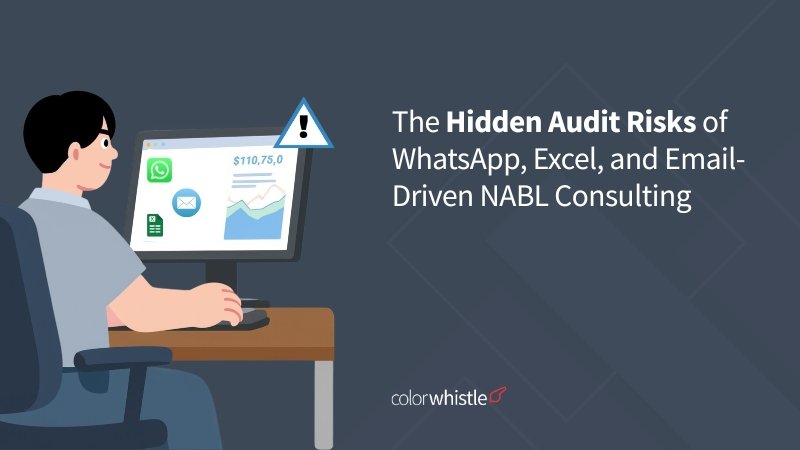
The Hidden Audit Risks of WhatsApp, Excel, and Email-Driven NABL Consulting

With half a decade of experience in creating tech content for education, healthcare, hospitality, and real estate, Nandhini excels at turning complex insights into clear, credible, in-depth, research-backed, and engaging content that helps readers make informed decisions.

Our authors are proven experts in their fields, writing on topics where they have demonstrated expertise. Every piece of content undergoes peer review and validation by industry professionals.
AI Summary
Key Highlights of NABL Consulting Audit Risks with WhatsApp Excel Email
This post explores critical audit risks in NABL consulting caused by reliance on WhatsApp, Excel, and email for managing accreditation workflows. The key insight: these consumer tools lack the controlled, auditable structure required under ISO/IEC 17025, creating gaps assessors readily identify. It targets NABL consultants aiming to improve compliance management. The article contrasts common manual practices with a purpose-built digital Quality Management System (QMS) that ensures version control, structured approvals, automated alerts, and immutable records. Implementing such a system transforms the lab’s ability to demonstrate compliance live, reducing audit failures and boosting traceability and readiness.
Most NABL accreditation failures don’t stem from poor lab practices; they come from the tools consultants use to manage the process. WhatsApp approvals, Excel checklists, and email-scattered documents create audit gaps that assessors are trained to find.
Most audit failures stem from inadequate preparation rather than technical incompetence directly supporting the argument that the problem is infrastructure, not intent.
The tools NABL consultants actually use
Walk into any NABL consulting engagement and you’ll find a predictable stack: a WhatsApp group with the lab manager, an Excel sheet tracking documents and calibration dates, and emails serving as the “official” approval record. These tools feel productive, and they are, for communication. The problem starts when they become the compliance infrastructure.
If you’re still managing accreditation records manually, here’s a detailed guide on how NABL consultants can manage documents digitally for better traceability and audit readiness.
TL; DR
This blog is for NABL consultants and laboratories preparing for ISO/IEC 17025 accreditation who still rely on tools like WhatsApp, Excel, and email to manage compliance tasks.
What the blog covers:
- Why WhatsApp, Excel, and email fail as compliance infrastructure
- The common audit risks caused by missing audit trails, version control issues, and scattered records
- What NABL assessors check during ISO/IEC 17025 audits
- How a purpose-built Quality Management System (QMS) solves these issues with document control, approval workflows, calibration tracking, and CAPA management
- How custom QMS platforms help consultants manage multiple labs while maintaining audit-ready documentation
Why Consumer Tools Fail NABL Compliance
While WhatsApp, Excel, and email are convenient for daily tasks, they are fundamentally not designed for controlled, auditable compliance workflows under standards like ISO/IEC 17025.
Tool
Common NABL Consulting Use
The Hidden Audit Risk
Quick sharing of SOP drafts or asking for sign-offs.
No Audit Trail: Messages are ephemeral and unsearchable in a formal sense. Critical decisions are lost, creating gaps in the record of communication.
Excel
Tracking client checklists, gap analysis, and CAPA status.
Version Control Chaos & Error: Manual data entry is prone to error. Tracking which version of the spreadsheet an assessor should review is nearly impossible, leading to data integrity issues.
Formal delivery of Quality Manuals and SOPs.
Scattered Records: Important approvals and document versions get buried in long threads, making it difficult to prove a document was reviewed and approved by the correct personnel.
As one expert notes, “A shared drive is not a document management system. An email thread is not an approval workflow. And a WhatsApp message is not a handoff record.”
What NABL assessors actually check
During a NABL assessment under ISO/IEC 17025:2017, assessors don’t ask the consultant; they ask the lab’s own staff to demonstrate the management system live. Common checks include:
- Clause 8.3 – Document control: Show the current approved version of a procedure and prove obsolete versions aren’t in use
- Clause 6.6 – Equipment: Produce the calibration history for a specific instrument with certificate numbers and traceability
- Clause 8.7 – Non-conforming work: Trace one NCR from identification through to closure with objective evidence
- Clause 6.2 – Personnel: Show training records and formal competency authorizations for a named technician
- Clause 8.8 – Internal audits: Retrieve the last audit report and show corrective actions raised and closed
The critical gap: If approval records live in your Gmail, calibration reminders are on your personal calendar, and document versions are on lab staff’s local drives — the lab cannot demonstrate its own management system. You’ve done the work. The evidence just isn’t findable at the moment it matters.
Did You Know?
The Government of India has committed to establishing 100 new NABL-accredited food testing laboratories by FY 2025–26 under the Pradhan Mantri Kisan Sampada Yojana, with ₹503.47 crore earmarked for 205 food testing lab projects Agro and food processing – signalling that the pipeline of new labs seeking accreditation is only growing
What a purpose-built QMS gives you instead
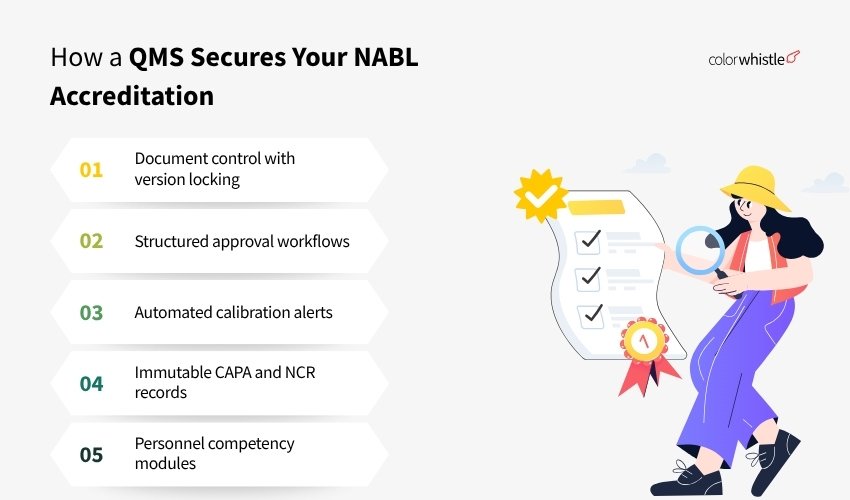
A customized Quality Management System, built specifically around ISO/IEC 17025 requirements, replaces the patchwork of WhatsApp, Excel, and email with a single, auditable platform. Here’s what changes:
- Document control with version locking: Only the current approved version is accessible to staff. Previous versions are archived, not deleted. Every revision has a timestamped approval record with the approver’s role
- Structured approval workflows: Documents route to the designated reviewer and approver. Approval is a logged action inside the system, not a message
- Automated calibration alerts: The lab receives reminders 30, 15, and 7 days before calibration is due, not the consultant’s personal calendar
- Immutable CAPA and NCR records: Non-conformances are logged with date, time, and personnel. Edits are tracked. Closure requires objective evidence upload
- Personnel competency modules: Training records linked to each technician, with evaluation status and authorization scope visible immediately
Many consultants are now exploring AI-assisted documentation and audit preparation to reduce manual errors and improve compliance tracking.
Custom QMS software Provider for NABL consultants
ColorWhistle builds custom-made quality management systems for NABL consultants and laboratories, mapped to ISO/IEC 17025 clauses, built around your workflow, and handed over ready to use.
- Document control – Version locking, approval workflows, and controlled access. No more file naming chaos
- Calibration tracking – Automated alerts to the lab before due dates, with full traceability records
- CAPA & NCR logs – Immutable non-conformance records with evidence upload and closure trails
- Personnel competency – Training records, evaluations, and authorization status per technician
- Internal audit module – Schedule audits, log findings, and track closure — all within the system
- Multi-lab dashboard – Consultants managing multiple clients get a single view across all engagements
Every QMS is built from scratch to match your lab’s scope, team size, and accreditation requirements, not a template.
Connect to Know More About Custom QMS Software Development
Wrap-Up
WhatsApp, Excel, and email aren’t bad tools; they’re just the wrong tools for compliance work. The audit risk they create isn’t about intent; it’s about structure. When approvals live in chat threads, records exist in editable spreadsheets, and document versions multiply across local drives, the lab’s quality system becomes impossible to demonstrate under assessment pressure.
NABL assessors don’t evaluate what was done, they evaluate what can be proven, retrieved, and traced in the room, by lab staff, without the consultant present. That’s the standard your infrastructure needs to meet.
Moving away from spreadsheets and chat approvals becomes easier once you digitize the entire NABL consulting workflow into a structured system.
FAQs
Does NABL require specific software for ISO 17025 compliance?
No. ISO/IEC 17025:2017 does not mandate any particular software. However, it does require that document control, records, calibration management, and CAPA processes are demonstrably controlled. Any system including custom software that provides audit trails, version control, and retrievable records meets the requirements.
What is the most common reason for NABL assessment failures?
Document control failures (Clause 8.3) are the most frequently cited major non-conformance, followed by inadequate calibration records (Clause 6.6) and missing competency evidence (Clause 6.2). All three are directly addressable with a properly configured QMS.
Can NABL consultants use the same QMS platform across multiple client labs?
Yes. A multi-tenant architecture allows consultants to manage separate client environments from a single interface, each lab’s data isolated, but the consultant’s oversight centralized. This is significantly more efficient than maintaining separate Excel files and email threads per client.
 Astro vs Next.js: Which Should You Choose for...