Decoding WordPress Website Development: ACF vs. Elementor

Powered by an expert content team, this blog blends SEO precision with compelling storytelling. Every insight is supported by data-driven research, ensuring content that ranks, engages, and drives conversions.

Our authors are proven experts in their fields, writing on topics where they have demonstrated expertise. Every piece of content undergoes peer review and validation by industry professionals.
AI Summary
Key Highlights of WordPress Development: ACF vs Elementor
This post explores the key differences between Advanced Custom Fields (ACF) and Elementor for WordPress development. The key insight: ACF offers deep developer control and scalable custom data structuring, while Elementor excels in user-friendly, visual page building. It targets developers, businesses, and content creators deciding the best tool for their project goals. The blog compares features like flexibility, performance, usability, and scalability. Readers learn how to choose based on speed, customization, and maintainability needs. Supported by detailed feature breakdowns, it guides readers toward optimized, efficient WordPress site building aligned with their technical requirements.
WordPress offers multiple ways to build flexible, dynamic, and scalable websites, and two of the most popular approaches today are Advanced Custom Fields (ACF) and Elementor. While both tools extend WordPress’s capabilities, they serve different purposes — one prioritizes structured content and developer control, while the other focuses on visual design and rapid page building.
With the rise of Gutenberg, block-based development, performance optimization, and scalable WordPress architectures, choosing between ACF and Elementor has become an important decision for businesses, developers, and content creators alike. Each option comes with its own strengths in terms of speed, customization, maintainability, workflow, and long-term scalability.
In this blog, we compare ACF and Elementor across key factors such as features, flexibility, performance, usability, and ideal use cases, helping you determine the best solution for your WordPress project based on your goals and technical requirements.
Also Read
Elementor
Elementor is a popular, user-friendly WordPress page builder plugin that enables users to design and customize websites with ease. With its drag-and-drop interface, extensive library of pre-designed templates, widgets, and styling options, Elementor allows users to create visually appealing websites without requiring coding knowledge.
It offers a wide range of features that support fast website building, flexible design customization, and responsive layouts. Let’s take a closer look at some of its key features.
Advantages
1. User-Friendly Interface
Even a user who has no prior knowledge can try things out by playing around with this user-friendly interface.
2. Drag and Drop Editor
It has a drag-and-drop editor, by which the user can simply drag and drop the elements and use them according to their need.

3. Real-Time Editing
Elementor lets you edit things right away. You make changes and see them instantly without waiting.
4. Template Library
There are over 300 designer-made templates. You can pick the one that fits your project best. This makes building a website faster and easier for you.

5. Extensive Widget Library
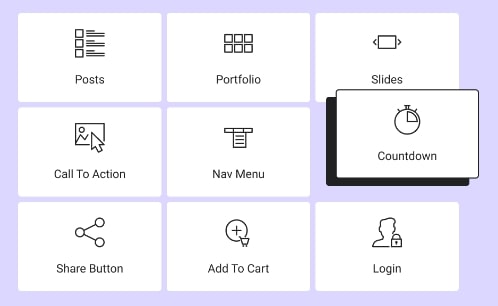
It has a wide range of widgets or elements that users can add to their pages. It includes primary elements such as text, image, and navigation menu, alongside more advanced options like form, slider, and testimonial.
6. Responsive Design
Websites built with Elementor ensure responsiveness on various devices, including tablets and phones.

7. Theme Builder
It allows users to customize not only the content of their pages but also the overall theme structure, including headers and footers.
8. Dynamic Content
It allows users to integrate dynamic data from WordPress and third-party plugins directly into their designs.
9. Regular Updates
It is actively maintained and regularly updated to ensure compatibility with the latest versions of WordPress.
Challenges
- Compatibility with Other Plugins: Elementor may occasionally face compatibility issues with certain WordPress plugins. When conflicts arise, they can impact website functionality and require troubleshooting or additional configuration.
- Performance Concerns: Using heavy design elements, animations, or complex layouts can increase page size and slow down website loading times if performance optimization is not properly managed.
- Reliance on Third-Party Addons: Many advanced features depend on external Elementor addons, increasing dependency, maintenance overhead, and potential compatibility risks.
- Scalability for Large Websites: As websites grow in size and complexity, managing large Elementor-built pages can become harder, especially for enterprise or content-heavy sites.
- Limited Features in the Free Version: Many advanced design controls, widgets, and customization options are restricted to the Pro version, which may limit flexibility for users relying solely on the free plan.
- Gutenberg & Native Block Competition: With WordPress continuing to enhance Gutenberg and Full Site Editing, some users may find native block-based editing more lightweight and future-proof.
Advanced Custom Fields
Advanced Custom Fields (ACF) is a powerful WordPress plugin used to build highly customized and flexible websites. It is often the preferred choice for custom WordPress development, as it allows developers to structure content and design websites exactly as needed.
ACF stands out as an ideal solution when full control over website functionality, layout, and performance is required, making it a strong option for building scalable, tailor-made WordPress websites.
Advantages
1. Extensive Documentation
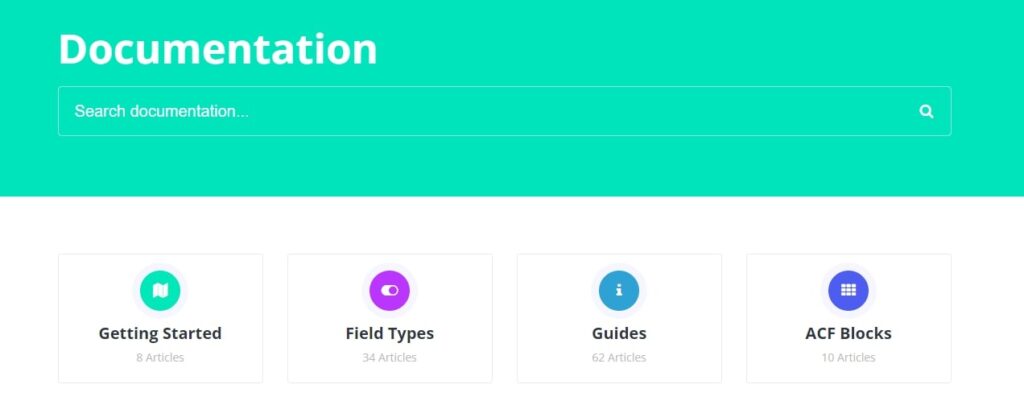
It has detailed documentation about the fields that can be useful for building the website and also offers a supportive community.
2. Easy Customization & Flexibility
One can easily add different types of custom fields like text, images, and repeater fields. It gives so much flexibility in customising the layout according to the project ideas.
3. Compatibility
It effortlessly integrates with various plugins and themes, while also being compatible with different elements within the WordPress platform.
4. Data Import/Export
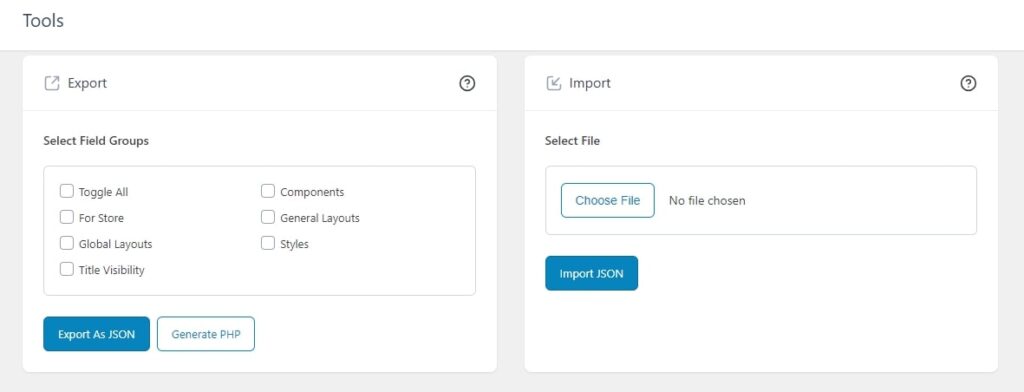
The custom field configurations can be imported/exported between different websites.
5. Scalability
It is scalable and suitable for both small websites and large, complex projects.
6. Developer-Friendly
It offers hooks and filters for advancing customization so that the developers can extend the functionality according to the project’s needs.
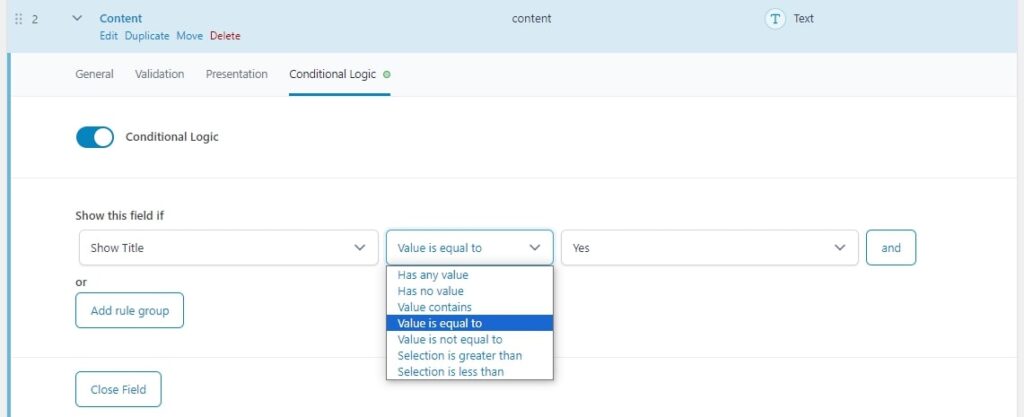
7. Conditional Logic
It supports conditional logic, allowing fields to be displayed or hidden based on certain conditions.
8. Compatibility with Page Builders
It is compatible with popular page builder plugins, so there are many ways to design and arrange content easily.
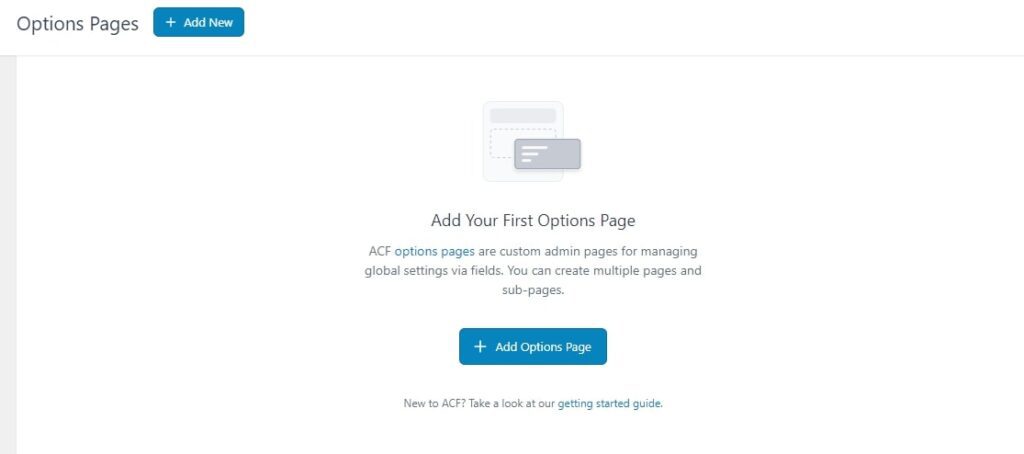
It is like a control center where some of the changes for the whole website can be made in one place like global sections.
All data saved on an options page is global and saved in the wp_options table, and it is not specific to a particular post or page. So the data can be available throughout the site.
To locate the “option pages,” navigate to ACF in the WordPress admin panel and select “Option Pages.”
9. Flexible Content
Flexible content is like a canvas. You can add different layouts and subfields and have full control over what you add. This allows you to design and update your content just the way you want. Each layout can contain different types of content fields, providing flexibility in structuring the content.
Initially, in ACF for each page a separate template is created and the sections are hardcoded in the templates. The disadvantage of this is that if we want to reuse a section in any other page, we are supposed to hardcode that section again in the other page’s template.
Benefits of Using Flexible Content:
- The main advantage of using Flexible content is that it acts like a block and the great thing is that we can reuse these blocks. It is enough if we write code once for displaying the fields used in each block.
- By using flexible content, one can create many sections.
- For example, if we create 20 sections for a website, we can add any of these sections in a page and place it any order we want by just dragging and dropping in the sections like we used to do in the Elementor.
- And we can also duplicate these blocks, if we are creating another new block with some similar fields.
- We can create a set of styles like background colour, alignment, background image, padding, margin etc. by using the fields in ACF, and then we can use them with these blocks by using a field called “clone”.
- We can also rearrange these blocks in a page by just dragging them up and down in the order we want to place them.
- And we can use conditional logics for the flexible content fields, allowing certain layouts to appear based on the values of other fields.
10. Custom Post Type
Initially, There were 2 ways for creating custom post types in WordPress.
- One is using plugins like Custom Post Type UI (CPT UI).
- And another one is adding a code for creating custom post type in functions.php file.
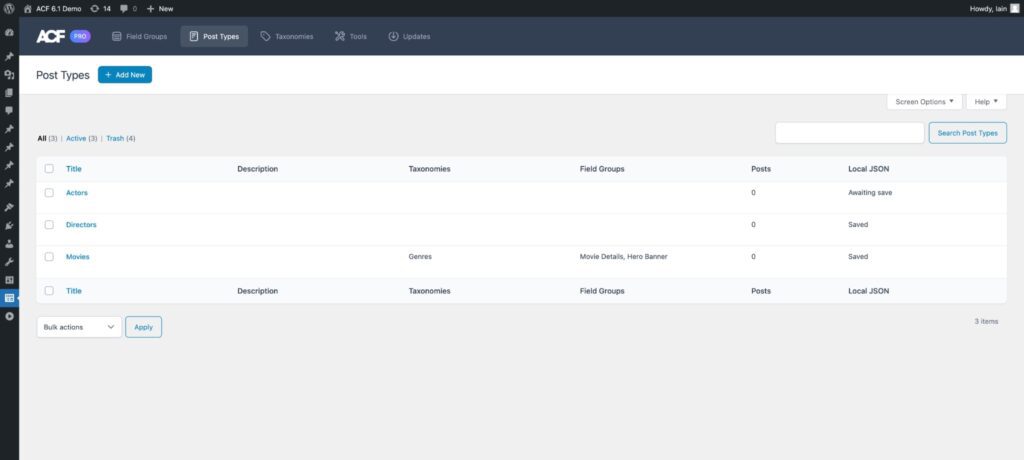
But now, ACF PRO has added a new option for creating the custom types in itself. Custom post types are basically used for creating a personalised content structure. We can add any number of custom post types we want based on the requirements.
These are used for storing various data apart from posts and pages. Additionally, WordPress offers an admin UI to handle this data and URL so that users can view this data on the website’s front end.
Taxonomy
It helps to create special categories or groups based on the project requirements. For example, for news articles, we can create taxonomies like sports, entertainment, and business.
Challenges:
- Learning Curve: ACF requires time and effort to understand how custom fields, templates, and dynamic content work behind the scenes, especially for beginners.
- Code Dependency: Since ACF is primarily developer-focused, users without coding knowledge may find it difficult to implement advanced customizations without technical support.
- Time-Intensive Development: Building websites with ACF often takes more time compared to visual page builders, as layouts and functionality must be developed manually.
- Interface Compared to Page Builders: Unlike Elementor’s visual drag-and-drop editor, ACF relies more on structured content and backend configuration, which may feel less intuitive for non-technical users.
- Styling Requires Manual Development: While Elementor offers built-in styling controls, ACF typically requires developers to manually write CSS and template code to achieve the desired design and layout.
- Overengineering for Simple Websites: For small or simple websites, using ACF can sometimes be more complex than necessary compared to lightweight visual builders.
Also Read
Conclusion
The choice between Elementor and Advanced Custom Fields (ACF) ultimately depends on the specific goals and requirements of your project. ACF excels at structuring and organizing data, acting as the foundation for scalable and well-architected content systems. While Elementor is highly effective for visual page building and rapid design, ACF goes deeper by enabling developers to build custom data structures and tailored functionality that extend far beyond simple page layouts.
ACF is lightweight, highly flexible, and focused on customization and performance. By avoiding unnecessary features, it allows for precise, efficient, and scalable development, making it ideal for projects that require long-term maintainability and deeper control without added complexity.
What’s Next?
Now that you’ve had the chance to explore our blog, it’s time to take the next step and see what opportunities await!
 How Technology is Transforming the Tire Indus...