Best Online Education Platforms for Coaching Institutes 2026

Anusha is a digital strategy expert with deep expertise in branding, UI/UX, and performance-focused content. She brings advanced insight into brands to scale intelligently, blending creativity with conversion-focused thinking.

Our authors are proven experts in their fields, writing on topics where they have demonstrated expertise. Every piece of content undergoes peer review and validation by industry professionals.
AI Summary
Best Online Education Platforms for Coaching Institutes 2026
This post explores selecting the right online education platform for coaching institutes, addressing their unique hybrid teaching realities in 2026. The key insight: the best platform unifies live classes, batch management, testing, content delivery, communication, and fees into one efficient system that matches the institute’s workflow and model. It warns against mismatched platforms, emphasizing mobile-first design, strong test engines, and ease of teacher adoption. Readers will learn to prioritize essential features, avoid unnecessary complexity, and choose platforms aligned with their coaching style. The guide aids institutes in digital transformation for smoother operations and improved student engagement.
Running a coaching institute in 2026 is a weird mix of two realities.
On one side, you still have the classic stuff that works. A good teacher. A tight timetable. Regular tests. Parent calls. That one student who needs three reminders to submit an assignment.
On the other side, students now expect the “online layer” to be smooth. They want recorded classes when they miss a lecture, which can be facilitated by using an online education platform that supports such features. They want assignments on their phone, instant doubt support, tests that feel like the real exam and all of this without the hassle of managing multiple WhatsApp groups and different apps.
So the real question becomes: What online education platform should a coaching institute use?
This guide is built around that question. We’ll go through what “platform” actually means, what features matter for coaching, how to choose based on your teaching model, and then a practical shortlist of platforms you can consider along with mistakes to avoid.
What counts as an “online education platform” for coaching institutes?
A lot of institutes get stuck here. They search online and see 50 different categories like LMS, video conferencing, course selling, test series software, ERP, CRM, live class tools and community apps.
But for coaching institutes, an online education platform usually means one system (or one connected set of tools) that helps you do these core things:
- Deliver classes (live and recorded)
- Distribute study material (PDFs, notes, DPPs, homework)
- Run tests and track performance (objective, subjective, OMR, analytics)
- Manage students and batches (enrollments, access control, schedules)
- Support communication (announcements, doubt clearing, parent updates)
- Collect fees (optional but increasingly important)
- Track operations (attendance, teacher performance, batch health)
If your “platform” only solves one slice like only live classes then you still need the rest somewhere else leading to chaos: students can’t find links, teachers can’t track submissions and admins are exporting Excel sheets daily.
Therefore for a coaching institute the best platform is the one that reduces patchwork – making tasks smooth and efficient.
In this digital age where e-learning is becoming more prevalent due to its flexibility and accessibility it’s essential to leverage technology effectively in your coaching institute. Implementing an online education WordPress LMS website can greatly enhance your delivery of education by providing a seamless experience for both teachers and students.
Moreover embracing advanced technologies such as AR/VR in online education could significantly improve student engagement and learning outcomes creating interactive learning experiences that were previously unimaginable.
As you navigate through this journey remember there are various online education business ideas that you can explore further to diversify your offerings and reach more students effectively.
Also Read
Why coaching institutes struggle with online platforms (even after buying one)
Let’s be honest. Most institutes don’t fail online because they don’t care.
They fail because the platform they chose didn’t match their day to day workflow.
A few common reasons:
1) They bought a “course selling” platform, but they run batches
Many platforms are designed for creators selling courses. That’s a different model.
Coaching institutes run batches with schedules, live teaching, test cycles, classroom style learning, and lots of repeat interactions. A “sell a course and forget” platform will feel awkward here.
2) They underestimated assessment and analytics
For competitive exams, your testing system is not an extra feature. It is the product.
If your test engine is weak, everything becomes weak. Students lose confidence fast. Parents notice even faster.
3) Teachers didn’t adopt it
Sometimes the platform is okay but teachers avoid it because it’s clunky, slow, or too many clicks. Then the institute ends up running both. Offline habits plus online obligations. That doubles the workload.
4) Students want mobile first, but the platform is desktop-first
Coaching students live on phones. If your platform feels heavy on mobile, they will skip features. Then your “full solution” becomes just a place to watch videos.
5) They went too complex too early
Some institutes buy an enterprise ERP + LMS stack when they are still figuring out basic online delivery.
More features does not mean more value. It often means more training, more confusion, more support tickets.
So the goal is not maximum features. The goal is the right features, used consistently.
To overcome these challenges, digital transformation could be a key strategy for coaching institutes. This involves leveraging technology to improve processes and deliver better educational outcomes.
The features that matter most (and what to ignore)
Let’s talk priorities. If you’re selecting an online platform for a coaching institute, these are the features that decide whether your system will actually run or just exist.
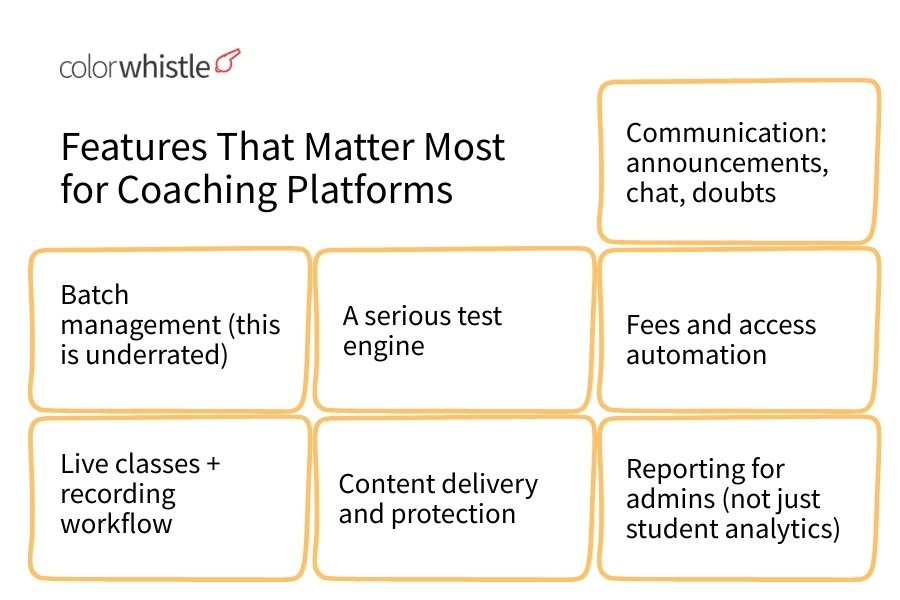
1) Batch management (this is underrated)
A coaching institute is not a “course library.” It’s batches.
So you need:
- Create batches quickly (by exam, year, teacher, language, center)
- Assign students to batches
- Control access by batch (videos, tests, PDFs, announcements)
- Handle batch changes without breaking everything
If a platform makes batch operations painful, your admins will hate it within 2 weeks.
2) Live classes + recording workflow
When it comes to live classes, it’s crucial to find a platform with stable integration. Look for options that support popular live streaming platforms like Zoom or Google Meet.
You should also ensure the platform offers:
Automatic recording handling
Easy replay with speed control
Attendance tracking (even basic is fine)
Low friction joining (especially on mobile)
Also, check the real workflow.
Some platforms can “do live classes” but make the teacher paste links manually every time. That gets messy fast.
3) A serious test engine
This is where most platforms look good in demos and then disappoint later.
For coaching, you typically need:
Objective tests (MCQ, multi correct, integer)
Sectional tests and timed modes
Negative marking, partial marking, exam pattern control
Randomization (questions and options)
Full analytics (accuracy, speed, rank, topic wise breakdown)
Question bank management for teachers
If you run school coaching, you may also need:
- Subjective answers with file upload
- Teacher evaluation workflow
- Rubrics or marks entry
- Model answers
A lot of institutes are okay with a separate testing tool. But if you can get testing inside the same platform, your adoption becomes easier.
4) Content delivery and protection
Coaching content is your intellectual property.
Important basics:
Organized content structure (folders, topics, modules)
PDF and video hosting that is stable
Access control (who sees what)
Basic anti-piracy measures (watermarking, streaming, limited downloads)
Nothing is 100 percent piracy proof. But a platform that takes content security seriously is worth paying for.
5) Communication: announcements, chat, doubts
If you do nothing else, at least stop relying on WhatsApp for everything.
Look for:
- Announcements per batch
- Doubt posting (text, image)
- Teacher responses and tracking
- Optional: community discussions
- Optional: parent communication
The best doubt system is the one students actually use. Which usually means it is fast, mobile friendly, and doesn’t feel like “submitting a ticket.”
6) Fees and access automation
This is not mandatory. But it is a big deal operationally.
If your platform supports:
- Fee collection links
- Auto enrollment on payment
- Auto access expiry
- Installments
- Invoices / receipts
Then your admin load drops a lot. And access disputes reduce.
7) Reporting for admins (not just student analytics)
Owners and admins need:
Enrollment growth
Active users
Attendance trends
Test participation
Drop offs per batch
Teacher wise engagement
If the platform gives you raw data without insights, you will still end up in Excel. Not the end of the world, but it’s a reality.
Also read
Features you can ignore at the start
These sound fancy but are rarely needed in phase one:
- Gamification badges
- AI tutoring (unless it’s proven and integrated well, like in some AI in education scenarios)
- Over complex automation workflows
- 10 different marketing funnels inside the LMS
- 3D classrooms, VR, etc
Start simple. Build habits. Then expand.
Choose based on your coaching model (this matters more than brand)
Before picking a platform, get clear on what type of coaching institute you actually are. Because the “best platform” changes depending on this.
Model A: Offline first institute adding online support
Goal: recorded backups, tests, notes, communication.
What you need: strong LMS + testing + batch management, not necessarily heavy marketing.
Model B: Hybrid institute (offline + online equal)
Goal: live online classes, recordings, offline classroom plus online revision, robust analytics.
What you need: stability, mobile app experience, integrated workflows. This is where understanding the difference between digital transformation and digital marketing could be beneficial.
Model C: Fully online coaching
Goal: acquisition + delivery + retention.
What you need: payment flows, onboarding, content protection, scalable live classes, community, support. Implementing an education ERP with AI could streamline these processes significantly.
Model D: Test series focused institute
Goal: testing engine is the core offering.
What you need: best in class test engine, question bank, analytics, ranking, exam simulation.
Model E: Tutor led small coaching (under 200 students)
Goal: keep it simple. Keep cost low. Reduce admin.
What you need: easy live class + content + assignments + some testing.
So when you shortlist platforms, shortlist against your model. Not against generic reviews.
Also Read
Platform options for coaching institutes (shortlist with positioning)
There is no single winner. But there are clear categories, and some solid options inside each.
I’m going to list them with the lens of coaching institutes, not generic “online course creators.”
1) Classplus (coaching institute focused)
Classplus is one of the most common choices for coaching institutes in India because it’s built around that exact use case: batches, students, communication, tests, content, and a branded app angle.
What it’s good for
- Coaching workflows and batch operations
- Mobile first student experience
- Content delivery + structure
- Institute branding (custom app possibilities depending on plan)
- Admin management and basic reporting
Watch outs
Evaluate the test engine depth for your exam type
Pricing and feature access can vary by plan and region
You still need strong internal processes, platform won’t fix mess by itself
Best fit Offline first or hybrid institutes that want a coaching oriented system without building tech.
2) Teachmint (LMS + classroom management style)
Teachmint started with classroom management and has grown into a broader platform with LMS like capabilities. It often works well for institutes that care about attendance, classroom operations, teacher workflows.
What it’s good for
- Live teaching workflows
- Teacher and classroom style management
- Attendance and schedule
- Communication and basic content distribution
Watch outs
For high stakes competitive exam testing, check if it matches your depth needs
If you need a heavy test series product, you may need add ons
Best fit Institutes that want structured class operations and a teacher friendly interface.
3) Virtual Classroom Platforms
With the rise of digital education, many coaching institutes are opting to create virtual classroom websites. These platforms provide an interactive online environment where students can learn from the comfort of their homes. Such platforms often include features like live video classes, recorded sessions, online quizzes, and more.
4) Graphy (by Unacademy) (course selling plus community, decent for online coaching)
Graphy is more creator oriented but many coaching institutes use it for online batches as well, especially if they are leaning into paid online programs, subscriptions, and community. This aligns with the trend of increasing online course subscription via digital marketing, making Graphy a suitable platform.
What it’s good for
- Selling and delivering online programs
- Clean course experience
- Payments and access control
- Community layer
- Mobile friendly consumption
Watch outs
For batch heavy offline style coaching, you need to see if the workflow feels natural
Testing depth may not match dedicated test platforms
Best fit Online first coaching programs, mentorship batches, skill based coaching, or institutes building a strong online brand.
5) Moodle (open source LMS, very flexible)
Moodle is the old reliable in the LMS world. It’s powerful, customizable, and widely used globally. But it’s not plug and play.
What it’s good for
- Full LMS capabilities
- Assignments, quizzes, grading, roles
- Customization with plugins
- Self hosting control (data, branding, flexibility)
Watch outs
You need a technical team or a Moodle partner
Mobile experience depends on setup and theme
Getting it “coaching friendly” takes real work
Best fit Institutes with technical support, or those that want full control and don’t mind implementation time.
6) Open edX (enterprise grade, heavy but powerful)
Open edX is another open source system used by big organizations. It’s strong, but it’s more complex than Moodle in many deployments. This complexity might be a hurdle for typical coaching institutes which could benefit from simpler platforms like those listed in our top online learning platforms.
What it’s good for
- Massive scale course delivery
- Structured learning paths
- Advanced extensions possible
Watch outs
Setup and maintenance is not trivial
For typical coaching institutes, it can be overkill
Best fit Large education brands, universities, or big coaching groups with dedicated tech resources.
In light of the ongoing future of education, embracing digital solutions such as content creation for online education or even exploring innovative concepts like digital twins in education, could significantly enhance the learning experience.
7) WordPress + LMS plugin (Tutor LMS, LearnDash, LifterLMS)
This route is common when institutes want ownership and flexibility. WordPress gives you a full website plus you attach an LMS plugin.
What it’s good for
- Ownership and customization
- SEO and marketing pages plus LMS in one place
- Many plugin options for payments, memberships, certificates
- Easy to start small and expand
Watch outs
You become responsible for performance, security, backups
You’ll likely need separate tools for live classes and advanced testing
Plugin compatibility issues happen, especially over time
Best fit Institutes that want a strong website plus structured content delivery, and have access to a decent developer.
8) Thinkific / Teachable (simple course platforms)
These are global course platforms. Very polished. Very stable. But again, they are designed more for creators than coaching institutes.
What it’s good for
- Fast course launch
- Clean student UX
- Stable video hosting
- Payments (depending on region)
Watch outs
Batch based workflows can feel forced
Testing engines are usually basic compared to coaching needs
India specific requirements like certain payment methods, local invoicing, etc might need extra work
Best fit Coaches selling structured programs, not heavy exam style coaching.
9) TalentLMS / LearnWorlds (LMS platforms often used for training)
These are more corporate training oriented but can work for certain coaching cases, especially skill coaching.
What it’s good for
- Structured learning paths
- Assessments (basic to moderate)
- Clean UI and analytics
Watch outs
- Not always optimized for exam prep style test series
- Pricing can climb as users grow
Best fit Professional training institutes, language coaching, skill based coaching.
In the context of creating an online training platform or an education website, it’s essential to consider various online training website design ideas that could enhance user experience. Whether you opt for a WordPress solution with an LMS plugin or a simplified course platform like Thinkific or Teachable, remember that the ultimate goal is to provide a seamless learning experience. For more extensive requirements such as corporate training or skill-based coaching, platforms like TalentLMS or LearnWorlds could be more suitable due to their structured learning paths and clean UI. However, these should be chosen while keeping in mind the specific needs of your institute or coaching business.
10) Zoom + Google Classroom + WhatsApp (the “stack” approach)
This is what many institutes start with. It’s not wrong, it’s just limited.
What it’s good for
Cheap and fast to start
Teachers already know it
Decent for small batches
Watch outs
- Content gets scattered
- No single student dashboard
- Testing and analytics are weak
- Admin control is low
- WhatsApp becomes the default support system, which burns teachers out
Best fit Very small institutes in early stage, or as a temporary setup while you evaluate platforms.
11) Dedicated test platform + separate LMS (common for serious exam prep)
Many competitive exam institutes do this.
They use one platform for learning content and live classes, and a separate strong testing platform for mock tests.
What it’s good for
- Best in class testing features
- Deep analytics
- Real exam simulation
Watch outs
Two logins, two systems, more student confusion
Integration challenges unless SSO is available
Support team needs to handle two products
Best fit Test heavy coaching, where testing quality is non negotiable.
Also Read
How to evaluate platforms (a practical checklist you can actually use)
Most institutes evaluate platforms by watching a demo and asking “does it have feature X.”
That’s not enough.
Use this instead. It’s simple but it works.
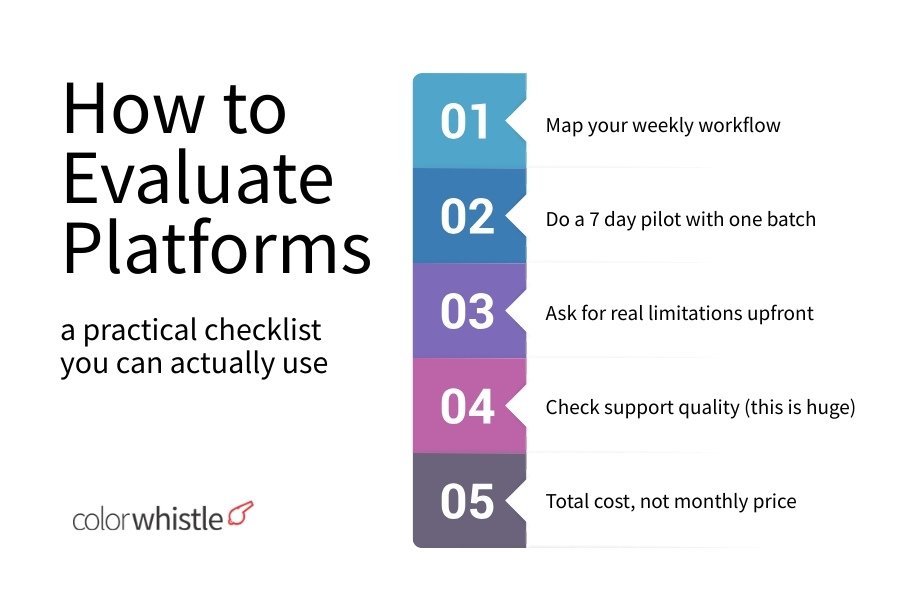
Step 1: Map your weekly workflow
Write down what happens in a normal week.
- How many live classes?
- How many batches?
- How many tests?
- How do doubts come in?
- How do you share notes?
- How do you handle absent students?
- How do you communicate schedule changes?
- Who does what: teacher, admin, counselor, owner?
This will show what matters. And what doesn’t.
Step 2: Do a 7 day pilot with one batch
Not 50 batches. One batch.
During the pilot, check:
Can students join class without confusion?
Can they find recordings?
Are PDFs easy to download or view?
Do they attempt tests smoothly on mobile?
Can teachers upload content without asking admin every time?
Are doubts resolved inside the platform?
If your teachers hate it in a week, students will never fully adopt it.
Step 3: Ask for real limitations upfront
During sales calls, ask these blunt questions:
- What features are not available on mobile?
- What are your uptime guarantees?
- What happens when we cross X students?
- How do you handle video hosting and bandwidth?
- Can we export our data if we leave?
- Can we migrate existing content easily?
A good vendor will answer clearly. A bad one will talk around it.
Step 4: Check support quality (this is huge)
You don’t realize how important support is until the day before your big test series launch and something breaks.
Ask:
- Support hours?
- Response times?
- Dedicated account manager or ticket system?
- Onboarding help for teachers?
- Training for admins?
Step 5: Total cost, not monthly price
Consider:
Setup cost
Custom app or branding costs
Payment gateway fees
Video storage limits
SMS / WhatsApp messaging charges if included
Per student pricing tiers
A platform that looks cheap can become expensive at scale.
A simple recommendation framework (so you can decide fast)
If you want a quick rule of thumb.
If you are an offline coaching institute going hybrid
Prioritize: batch management, recorded class workflow, tests, admin reporting.
Platforms that often fit: coaching focused platforms like Classplus or similar, or Teachmint depending on your needs.
If you are building an online brand and selling programs
Prioritize: payments, course structure, community, onboarding.
Platforms that often fit: Graphy, Thinkific, Teachable, WordPress + LMS.
If your core product is test series and analytics
Prioritize: test engine depth, question bank, rank system, exam simulation.
You might need a dedicated test system, with LMS as secondary.
If you want maximum control and customization
Prioritize: open source or self hosted.
Platforms that often fit: Moodle, WordPress + LMS, Open edX (if big).
Also Read
Implementation matters more than platform (yes, really)
Even the best platform fails if you implement it badly. Here’s what good implementation looks like in coaching institutes.
1) One clear student journey
Students should know:
- Where classes happen
- Where recordings are
- Where notes are
- Where tests are
- Where doubts go
If students ask “sir link?” every day, your system is broken.
2) Teacher workflow should be simple
Teachers should not be doing admin work. A good setup:
Teachers upload to their batch folder
Tests are scheduled from a central question bank
Announcements are templated
Doubts are assigned or routed properly
If teachers feel the platform is extra workload, they will avoid it.
However, the success of these platforms largely depends on how well they’re optimized for the specific needs of the educational sector. It’s crucial to optimize webflow edtech platforms to ensure smooth functioning and enhance user experience.
3) Standardize naming and structure
This sounds small. It’s not.
Use consistent naming:
- Batch name: “NEET 2026 Evening Batch A”
- Topic folder: “Physics 01 Units and Dimensions”
- Test name: “Mock 03 Full Syllabus 180Q”
- Notes: “DPP 07 Electrostatics”
Students feel safe when things are predictable.
4) Make testing a habit
Many institutes upload videos and PDFs and then wonder why engagement drops.
Testing is the glue.
Even a simple weekly test with review discussion increases retention. It also makes the platform feel necessary.
5) Decide the role of WhatsApp early
If you keep WhatsApp as the primary channel, your platform becomes secondary.
A better approach:
Use platform announcements for official updates
Use WhatsApp only for emergencies or onboarding
Push doubts and submissions inside the platform
Students follow what you enforce.
Common mistakes coaching institutes make (and how to avoid them)
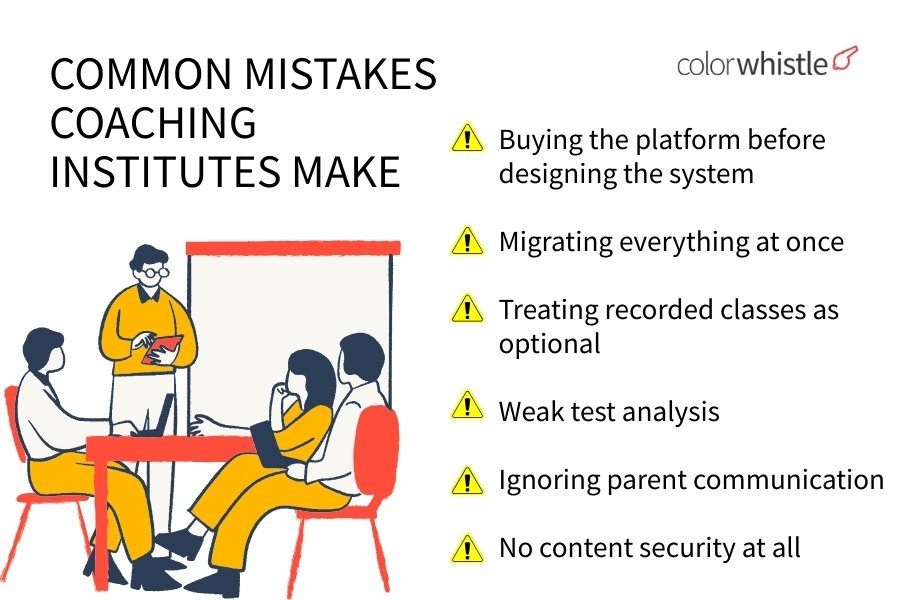
Mistake 1: Buying the platform before designing the system
Fix: decide your workflows first. Then buy.
Mistake 2: Migrating everything at once
Fix: start with one batch, then expand.
Mistake 3: Treating recorded classes as optional
Fix: create a simple recording and upload routine. Students rely on it.
Mistake 4: Weak test analysis
Fix: even if the platform provides analytics, teach students how to use it. Do analysis sessions.
Mistake 5: Ignoring parent communication
Fix: at least provide periodic updates: attendance, test scores, teacher remarks. Parents are part of the system in coaching, like it or not.
Mistake 6: No content security at all
Fix: watermark videos or PDFs where possible, avoid raw downloadable video files, control access.
You can’t stop leakage completely. But you can reduce casual sharing.
What a “good stack” looks like if you don’t want one platform
Some institutes don’t want an all-in-one solution. That’s fine.
Here are a few clean stacks that work without being messy.
Stack 1: Simple hybrid coaching
Live classes: Zoom or Google Meet
LMS: coaching focused platform or Google Classroom
Tests: a dedicated test tool or built-in quizzes
Communication: platform announcements + limited WhatsApp
Stack 2: Online first coaching with sales
- Website + landing pages: WordPress
- LMS: WordPress LMS plugin or Graphy
- Payments: Razorpay/Stripe (depending on region)
- Email + onboarding: basic automation (Mailchimp etc)
- Community: platform community or Telegram/Discord (if disciplined)
Stack 3: Test heavy exam prep
LMS: stable content platform
Testing: dedicated test engine with deep analytics
Support: internal doubt team + platform doubt system
Reporting: weekly batch reports for owners
If you go stack-based, your number one job is reducing logins and confusion. Even if you can’t do SSO, at least give students a single “home base” page with all links and instructions.
Data ownership, privacy, and compliance (don’t ignore this)
This part is boring until it becomes urgent.
When you choose an edtech platform, ask:
- Who owns student data?
- Can you export student lists, attendance, test data, performance history?
- Where is data stored? (important for some institutions)
- What happens if you stop paying?
- Can students download content after access ends?
- What is the policy on content ownership?
Even if you are a small institute, you should have clarity. It protects you long term.
Also, set internal rules:
Don’t share student phone numbers publicly
Common mistakes coaching institutes make (and how to avoid them)
Don’t upload sensitive documents without access control
Use role based permissions for admins and teachers
Incorporating MCP in LMS and education systems can significantly enhance the management of these aspects.
Pricing reality: what you should expect to pay
Pricing varies massively based on region, features, number of students, and whether you want a branded app.
But in general, coaching institutes tend to pay for:
- Platform subscription (monthly or annual)
- Per student charges (sometimes)
- Branded app or white label costs (optional)
- Video hosting and storage (sometimes bundled)
- Payment processing fees (always, via gateways)
Here’s the practical advice.
Don’t choose the cheapest option. Choose the option that your teachers will use and your students will not complain about daily. The hidden cost of a bad platform is lost trust and lost renewals.
A realistic rollout plan (30 days)
If you want to implement an online education platform without burning your team, use this kind of rollout.
Week 1: Planning and structure
- Define batches
- Define folder structure for content
- Decide testing schedule
- Decide communication rules
- Train 2 or 3 teachers first, not everyone
Week 2: Pilot batch
Run one batch fully on the platform
Collect feedback daily
Fix friction points
Create a student onboarding guide (short, with screenshots)
Week 3: Expand to 30 to 40 percent of batches
- Focus on your most active teachers
- Start a weekly test routine
- Start announcement discipline
Week 4: Full rollout + parent update system
Bring remaining batches
Set reporting rhythm
Create a support channel for platform issues
Freeze the structure, avoid changing folder naming every week
This isn’t perfect. But it prevents the classic chaos rollout.
Final thoughts
Choosing an online education platform for a coaching institute is less about shiny features and more about fit.
Fit with your teaching model. Fit with your test needs. Fit with your teachers’ patience level. Fit with how your students actually behave, mostly on mobile, often distracted, always short on time.
If you’re stuck, the most practical move is simple: pilot one batch for 7 days and measure friction. Confusion points, missed classes, test attempts, doubt resolution speed. The right platform will feel like it reduces work, not adds to it.
And once you get that right, your institute changes. Not in a dramatic “we became an edtech company” way. In a quiet way.
Fewer missed updates. Cleaner testing cycles. Better revision. More consistency.
That’s the real win.
 Top 7 Payment Gateways in Europe 2026 – Fea...