


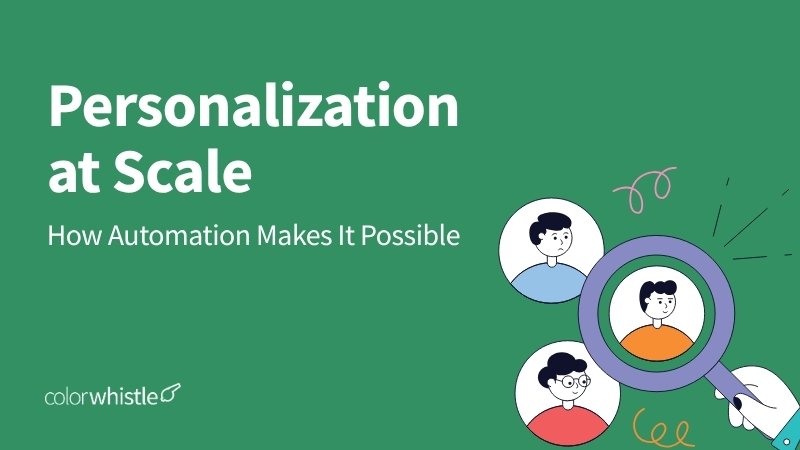
Personalization at Scale: How Automation Makes It Possible

Phurvishaa specializes in crafting travel tech and marketing content, leveraging deep research, SEO expertise, and AI-driven insights. Her strategic approach ensures content that educates, engages and delivers knowledge.

Our authors are proven experts in their fields, writing on topics where they have demonstrated expertise. Every piece of content undergoes peer review and validation by industry professionals.
AI Summary
Key Highlights of Automation Enabling Personalization at Scale
This post explores how automation enables effective personalization at scale in outbound campaigns. The key insight: layering automation and human judgment optimizes personalization without burnout. It explains four personalization layers, advocating automating basic layers, using AI-assisted research for situational details, and reserving final judgment for humans. Tools like Clay accelerate dynamic email generation, enhancing quality. Quality control and proper metric tracking—focusing on positive reply and meeting rates—ensure success. The guide serves sales and marketing teams aiming to boost campaign efficiency and relevance, promising reduced prep time and higher engagement through a balanced AI-human workflow.
Personalization is the part of outbound everyone agrees with matters and almost nobody does properly. The data is consistent with personalized campaigns to outperform generic ones by a wide margin. The problem is time. Doing personalization properly at scale, manually, doesn’t work. By the time a rep has researched and written a genuinely specific first line for every contact on a 500-person list, the campaign has taken two weeks to prepare, and the rep is burned out before sending starts.
Automation changes the economics of personalization without removing the judgment that makes it work. Here’s how.
TL; DR
A practical walkthrough of how automation makes genuine personalization viable at volume covering the four layers of personalization and which ones to automate, how AI-assisted research changes the time economics of Layer 3, how dynamic email generation works without making every email feel the same, and what the human quality control checkpoints look like at each stage.
This blog is for: SDRs, sales managers, RevOps leads, and B2B marketers running outbound at volume who want to personalize properly without it consuming the team’s entire bandwidth.
- The four personalization layers and which one’s automation should and shouldn’t touch
- How AI-assisted research brings 10–15-minute research tasks down to 60–90 seconds
- How dynamic email generation applies contact-specific personalization at volume
- The human quality control checkpoints that prevent automation from producing worse results than no personalization
- The metrics that measure whether personalization is working and why open rate isn’t one of them
Personalization Layers: Not All of Them Are Equal
The first thing to get right about personalization at scale is understanding that not all personalization carries equal weight and automating the wrong layers while leaving the right ones to humans is what separates campaigns that feel personal from campaigns that feel like they’re trying to feel personal.
There are roughly four layers of personalization in a cold email:
Layer 1 – Firmographic personalization. Company name, industry, headcount, geography. This is the baseline easily automated, expected by recipients, and worth almost nothing on its own. A message that opens with “As a SaaS company with 100–200 employees in the US, you probably face…” is technically personalized and functionally generic.
Layer 2 – Role-based personalization. Messaging adapted to the function and seniority of the recipient for the challenges a VP of Sales faces versus a Head of Marketing, the language that resonates with a founder versus a director. This layer can be partially automated through ICP segmentation: different copy blocks for different role segments, applied dynamically in the sequence tool. It’s not individual personalization, but it’s relevant to personalization.
Layer 3 – Situational personalization. References to something specific and recent about the company or contact a funding round, a product launch, a hiring push, a piece of content they published, a challenge they mentioned publicly. This is the layer that produces replies. It requires research either human or AI-assisted, and it’s the layer most teams skip because it doesn’t scale easily without the right tooling.
Layer 4 – Conversational personalization. The reply-handling layer responds to what the prospect said, building on their specific objection or question. This layer is always human. No automation touches it.
The practical approach: automate Layers 1 and 2, use AI assistance for Layer 3, keep Layer 4 entirely human.
AI-Assisted Research: Where the Time Saving Is Real
Layer 3 personalization of the situational, specific kind used to require a human to spend 10–15 minutes per contact pulling together company news, recent posts, and relevant context before writing. At scale, that’s not viable.
AI-assisted research changes the math. Tools that pull a contact’s recent LinkedIn activity, company news, funding history, and role changes can generate a research summary in seconds that previously took minutes. The output isn’t always perfectly organized or prioritized, but the raw material is there, and a human reviewing it to identify the most relevant hook takes 60–90 seconds rather than 10–15 minutes.
The workflow that works: AI gathers the research; a human identifies the most relevant detail; the personalized line gets written or approved before the contact enters the sequence.
What AI research does well:
- Surfacing recent company announcements, funding, and hiring activity
- Identifying topics a contact has posted about recently on LinkedIn
- Flagging job changes a contact who recently moved to a new role is often a higher-priority prospect than one who has been in the same seat for years
- Generating a first-draft personalized line that a human reviews and adjusts rather than writes from scratch
What AI research doesn’t do well: deciding which of the available signals is actually relevant to the outreach. A contact may have posted about three different topics last month. Only one of them connects naturally to the service being offered. Identifying which one is still a judgment call that requires a human in the loop.
Did you know?
Only 5% of cold email senders personalize every message, yet campaigns with genuine, research-backed personalization achieve reply rates 2–3x higher than generic templates. The majority of senders are leaving a significant performance gap on the table by skipping this step.
(Source: Woodpecker)
Dynamic Email Generation: Automation Without Uniformity
Dynamic email generation is how personalization gets applied at volume without each email being written individually. Most modern sequencing tools Instantly, Lemlist, Smartlead support dynamic content fields that pull from variables attached to each contact record.
The structure of a dynamically personalized email:
- Opening line – the most personalized element, ideally pulling from the AI research layer or written per segment
- Problem statement – role-segment-specific copy that addresses the challenge this type of prospect typically faces
- Value proposition – consistent across the campaign, but framed differently by segment
- Call to action – short, low-friction, specific
The opening line is where the dynamic variable does the most work. A field that pulls in a contact-specific research note “Saw that [Company] recently expanded into [Market] that typically creates [specific challenge] …” – makes the rest of the email feel earned rather than templated.
The practical limit of dynamic generation: the more variables you introduce, the more combinations you have to review before sending. A campaign with five dynamic fields across three segments produces fifteen possible email variations each of which needs a human to confirm it reads naturally before the sequence launches.
Clay has become a notable tool in this workflow. It pulls from multiple data sources simultaneously, applies AI to generate personalized snippets at the contact level, and passes the output directly into sequencing tools. The setup investment is real, but the personalization quality it enables at scale is meaningfully higher than manual dynamic fields alone.
Also Read
Human Quality Control: The Layer That Keeps It from Falling Apart
Automation at scale without quality control produces personalization that’s worse than no personalization because it references incorrect details, makes awkward assumptions, or uses accurate information in a way that doesn’t land.
The quality control checkpoints that matter most:
Pre-send review of AI-generated first lines. Every AI-generated personalization line should be read by a human before it goes into the sequence. The review catches factual errors, tone mismatches, and lines that are technically accurate but awkward or irrelevant. This takes 30–60 seconds per contact significantly less than writing the line from scratch, but enough to catch the failures before they go out.
Segment-level copy review. Before any segment launches, the full email with all dynamic fields populated for a sample contact should be read as a real recipient would read it. Does the personalized opening connect naturally to the problem statement? Does the transition feel earned or forced? This review catches structural issues that individual line reviews miss.
Catch all domain handling. Contacts at catch-all domains where the mail server accepts everything regardless of whether the mailbox exists should be reviewed before sending. AI research and dynamic generation work on the assumption that the contact is real and reachable. Catch all domains to undermine that assumption.
Reply triage. The moment a prospect responds, human judgment takes over entirely. The most common quality control failure in automated outbound is letting automation touch replies either through AI-generated responses or automated follow-up sequences that don’t detect genuine interest. Every reply gets read by a human before anything goes back.
Did you know?
2 in 3 B2B marketers now use generative AI as part of their LinkedIn outreach workflow up 20% year-over-year with the highest-performing teams using AI for research and first-draft generation while humans manage review, approval, and all reply handling.
(Source: SalesSo)
Measuring Personalization Success: What to Track
Most teams measure personalization success by open rate. That’s the wrong metric for the same reasons. Open rate is unreliable as a general cold email KPI. Apple Mail Privacy Protection inflates open rates regardless of personalization quality.
The metrics that tell you whether personalization is working:
Reply rate by personalization level. Compare reply rates across contacts who received a fully personalized first line versus those who received a segment-level or generic opening. The delta tells you how much personalization is contributing and whether the time invested in Layer 3 research is justified by the result.
Positive reply rates. Total replies include out-of-office messages, unsubscribes, and “not interested” responses. Positive reply rate replies that express interest or ask a question is the metric that maps to actual pipeline and the clearest signal that personalization is resonating.
Meeting booking rate per campaign. Meetings booked as a percentage of contacts contacted. This is the end-to-end metric that captures whether the full workflow of ICP, personalization, sequencing, and reply handling is producing the outcome it exists to produce.
Personalization score versus reply rate correlation. Some teams score each outgoing email on a simple 1–3 personalization scale (1 = generic, 2 = role-segment, 3 = contact-specific) and track reply rates by score. The correlation between score and reply rate confirms whether deeper personalization is worth the additional time and in consistently well-run tests, it is.

The Practical Conclusion
Personalization at scale isn’t a technology problem; it’s a workflow design problem. The technology to assist with research, generate dynamic content, and run personalized sequences at volume exists and works. The teams getting the best results from it are the ones who’ve been deliberate about which layers get automated, which layers get AI assistance, and which layers stay entirely human.
Automate what can be automated without losing relevance. Use AI to accelerate the research that produces genuine personalization. Keep human judgment in the loop for the decisions that require it. And measure the right metrics to know whether it’s actually working.
Personalization doesn’t stop with emails. Create a website that delivers tailored experiences at every touchpoint with ColorWhistle’s B2B web design and development services.
FAQs
Which personalization layers should be automated, and which should stay human?
Layers 1 and 2 firmographic and role-based can be fully automated. Layer 3 situational personalization works best with AI research and human approval. Layer 4, reply handling, is always human with no exceptions.
What does AI-assisted research actually do in a personalization workflow?
It pulls together a contact’s LinkedIn activity, company news, and role changes in seconds cutting 10–15 minutes of manual research per contact down to a 60–90 second human review and approval step.
What metrics actually tell you whether personalization is working?
Reply rate by personalization level, positive reply rate, and meeting booking rate per campaign. Open rate is unreliable due to Apple Mail Privacy Protection inflating opens regardless of personalization quality.
 Mental Health App & Therapy Platform Stat...