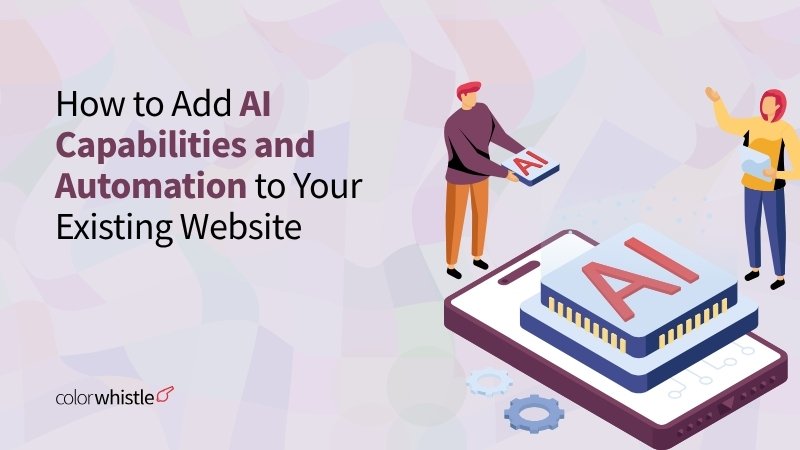
How to Add AI Capabilities and Automation to Existing Website

Phurvishaa specializes in crafting travel tech and marketing content, leveraging deep research, SEO expertise, and AI-driven insights. Her strategic approach ensures content that educates, engages and delivers knowledge.

Our authors are proven experts in their fields, writing on topics where they have demonstrated expertise. Every piece of content undergoes peer review and validation by industry professionals.
AI Summary
How to Add AI Capabilities and Automation to Existing Website
This post explores how businesses can enhance existing websites with AI and automation without rebuilding. The key insight: AI tools like chatbots, intelligent search, and automation streamline lead qualification and reduce manual work, improving conversions. It targets operations, CRM, and marketing managers aiming to boost efficiency and personalization. The guide details simple AI integrations, CRM syncing, and predictive user experiences using platforms like HubSpot, Intercom, and Clearbit. Emphasizing infrastructure readiness and compliance, it advises starting small for clear ROI. ColorWhistle offers expert support to seamlessly implement these AI enhancements and optimize digital engagement.
Your website is live. It loads fast, looks good, and checks every box on the original brief. But somewhere between the contact form and the CRM, leads go cold. Visitors bounce without converting. Your team spends hours on tasks that should be automated.
Sound familiar? The good news: you don’t need to rebuild from scratch. Today, businesses across industries are layering AI and automation on top of existing websites, adding intelligence without disrupting what already works. This guide shows you how.
TL; DR
If you’re an Operations Manager, CRM Leader, or Marketing Automation Specialist watching your competitors deliver smarter, faster digital experiences this guide breaks down exactly on:
How to add AI and automation to your existing website without ripping apart from your infrastructure.
From AI chatbot integration and CRM connections to lead qualification and website personalization AI, here’s your practical roadmap to turning your website into a revenue-generating engine.
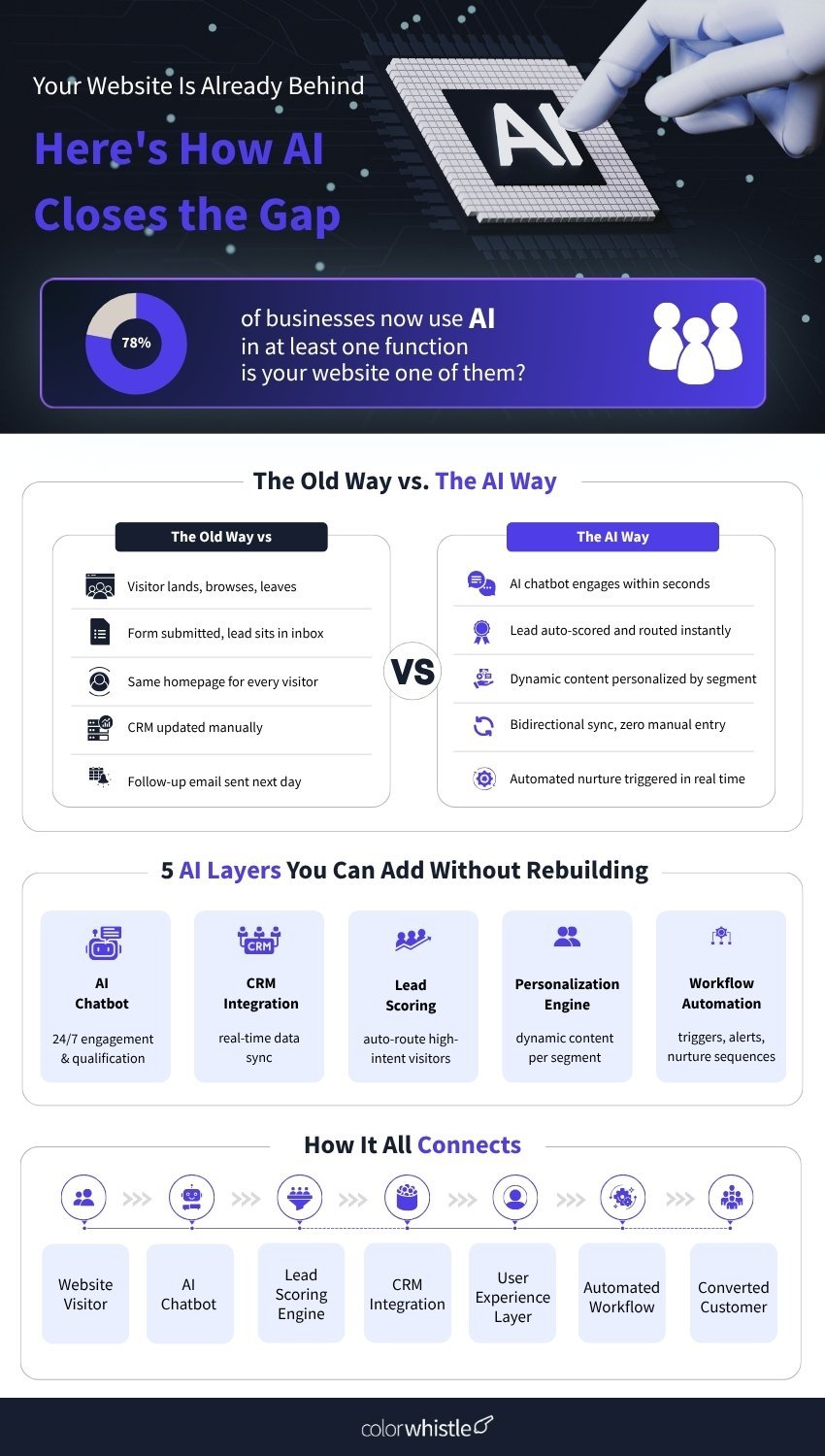
Common AI Enhancements Businesses Are Adding to Websites Today
The most impactful AI enhancements don’t ask visitors to do more; they make the website do more. From intelligent search that anticipates intent to AI content recommendations that surface the right case study at the right moment, these additions work silently in the background.
For Operations Managers and Digital Experience Managers, the real win here is the reduction of manual workload. When AI handles first-touch interactions, data capture, and initial qualification, your team focuses on the work that needs a human.
Popular tools in this space include Drift, Intercom, and HubSpot’s AI features, which can be embedded into most CMS platforms with minimal development effort.
Integrating AI Assistants and Chatbots Without Rebuilding Infrastructure
- Leading platforms like Tidio, Intercom, and ChatGPT-powered widgets are built for drop-in deployment with a few lines of script, and you have a functioning AI assistant; no core rebuild required.
- Chatbots connect to your existing knowledge base help docs, pricing pages, product sheets so they respond based on your content, not guesswork.
- Context-aware bots handle multi-step conversations and can be configured to hand off to a human agent when a query is high-intent or too complex.
- For CRM Managers, every chatbot interaction feeds structured data upstream visitor intent, conversation history, and contact details directly into your CRM.
- Integration timelines on WordPress, Webflow, or most custom-built sites are measured in hours, not weeks.
Did You Know?
AI chatbots drive significantly higher conversions than traditional web forms. Businesses using AI chatbots see 3x better conversion into sales compared to those relying on website forms alone.
Using Automation for Lead Qualification and Routing
Speed is the hidden variable in lead conversion. Research consistently shows that the odds of connecting with a lead drop significantly after the first five minutes. Website automation tools close to this gap by triggering routing logic at the moment a form is submitted, or a qualifying threshold is crossed.
For Revenue Operations Leaders, this is particularly valuable. Automated lead qualification using tools like Clearbit, 6sense, or HubSpot’s predictive scoring means your sales team only touches lead that match your ICP, and they touch them fast.
Routing logic can be as simple as “if company size > 200 employees, assign to enterprise queue” or as complex as multi-step workflows that consider industry, page history, and lead source simultaneously. The key is that your website becomes an active participant in the qualification process, not just a passive collector of form fills.
Also Read
Connecting AI Tools with CRMs and Backend Systems
- Without CRM integration, your website and revenue stack operate in parallel universes one sees behavior; the other holds context, and never the two shall meet.
- Native connectors exist for Salesforce, HubSpot, Zoho, and Pipedrive on most major CMS platforms; middleware tools like Zapier, Make, and n8n fill any remaining gaps.
- Bidirectional sync means CRM data deal stage, account tier, lifecycle status can directly influence what a returning visitor sees on your website.
- A returning visitor already mid-funnel in your CRM can be served as a personalized banner, a relevant case study, or triggered into a nurture sequence all without manual intervention.
- For Marketing Automation Specialists, this is the foundation for account-based marketing at scale: when your website knows who’s visiting, it can serve experiences that feel handcrafted, even when fully automated.
- Tools like Segment (a customer data platform) sit between your website and CRM, aggregating behavioral data and distributing it across every connected tool in your stack.
Personalization and Predictive User Experiences with AI
Personalization used to mean showing someone their name in an email. Today, it means your website presenting a healthcare CIO in a healthcare-specific case study the moment they land, while showing a SaaS founder a different one all without any manual configuration after initial setup.
This is a website personalization AI in practice. Platforms like Mutiny, Optimizely, and even HubSpot’s Smart Content module allow marketers to define audience segments and assign content variations to each. The AI handles the matching in real time.
For Product Managers and Digital Experience Managers, the value extends beyond conversion. Personalization reduces the cognitive load on visitors; they see relevant content faster, find answers without hunting, and leave a stronger impression of your brand’s understanding of their world.
Predictive recommendations add another layer. Using browsing patterns and engagement history, AI can surface what a visitor is likely to want next, making your website feel like it genuinely understands its audience.
Did You Know?
AI personalization directly lifts revenue from AI-powered recommendations to increase conversion rates by an average of 26%, and shoppers who engage with AI chatbots convert at 12.3% versus 3.1% for non-users, a 4x increase.
Infrastructure Considerations Before Implementation
Before adding AI to website workflows, the unsexy but essential step is an infrastructure audit. The best AI tools in the world will underperform if they’re sitting on top of messy data, disconnected systems, or a CMS with no integration pathway.
Key questions to ask before implementation:
- Does your CRM have clean, structured contact and account data? AI personalization and lead scoring are only as good as the data they draw from. A CRM full of duplicate records and missing fields will produce unreliable outputs.
- Does your CMS support the integrations you need? WordPress, Webflow, HubSpot CMS, and most modern platforms have robust ecosystems. Older or heavily customized platforms may need middleware or custom development.
- Who owns the workflow for post-deployment? AI and automation integrations require ongoing configuration, monitoring, and optimization. Assign clear ownership typically Revenue Ops, Marketing Ops, or a dedicated Digital Experience Manager.
- Are your data practices compliant? Behavioral tracking, AI personalization, and customer data platforms all touch personally identifiable information. Ensure consent mechanisms, cookie policies, and data retention rules are in place before you flip the switch.
Starting narrow and proving value is the smarter path than deploying ten tools at once. Pick the use case with the clearest ROI often AI chatbot integration or automated lead qualification execute it well and build from there.
Curious how AI is reshaping the way websites are built? Read: How AI is Transforming Website Development and Web Design
Where ColorWhistle Comes In
At ColorWhistle, we’ve helped businesses across industries connect AI tools, automation platforms, and CRM systems to their existing websites without the costly overhaul of starting fresh. Our approach is practical, modular, and built around your actual stack.
Whether you’re exploring your first chatbot integration, looking to build a seamless CRM-to-website data loop, or architecting a full AI-powered personalization layer, our team brings the technical depth and strategic clarity to get it right the first time.
Ready to add intelligence to your website? Connect with ColorWhistle team to map out your AI integration roadmap.
FAQ
Can I add AI to my existing website without rebuilding it?
Yes, most AI chatbot and automation tools are designed for drop-in deployment via embed scripts or plugins, making them compatible with WordPress, Webflow, and most custom-built sites.
How does CRM integration improve my website’s performance?
Connecting your CRM to your website creates a real-time data loop, so returning visitors see personalized content based on their deal stage, behavior, and account history, driving higher conversions.
What’s the best first step to adding AI to my website?
Start with one high-impact use case typically an AI chatbot or automated lead qualification workflow to prove ROI, then layer in personalization and deeper CRM integrations from there.
 AI Chatbots for Mental Health Professionals: ...