WordPress Development Outsourcing Checklist

Powered by an expert content team, this blog blends SEO precision with compelling storytelling. Every insight is supported by data-driven research, ensuring content that ranks, engages, and drives conversions.

Our authors are proven experts in their fields, writing on topics where they have demonstrated expertise. Every piece of content undergoes peer review and validation by industry professionals.
AI Summary
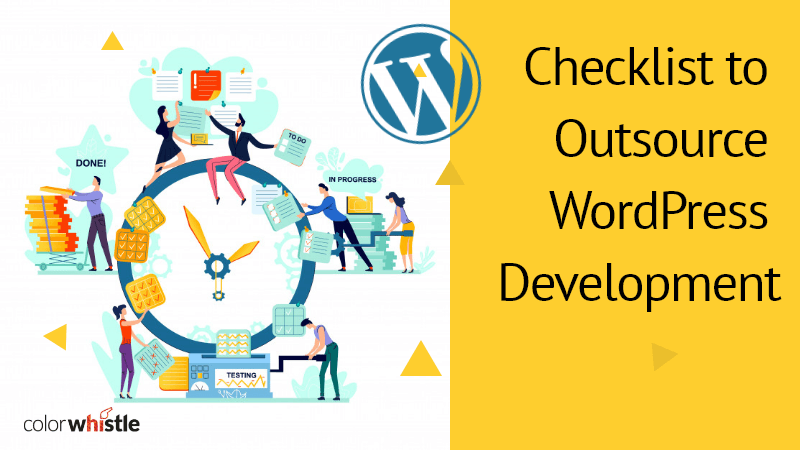
WordPress Development Outsourcing Checklist
This serves as a practical guide for businesses and agencies seeking to outsource WordPress development efficiently. The key insight: a comprehensive checklist ensures a successful partnership and optimized website outcomes. It covers deciding website type, budgeting, desired features, selecting reliable companies, and prioritizing communication tools like Asana. Starting with small projects is recommended to build trust. The guide highlights outsourcing options including custom development, theme customization, performance optimization, and maintenance. With growing demand for outsourcing, this checklist helps readers confidently choose the right partners to save costs, enhance site functionality, and establish long-term collaborations.
Outsourcing WordPress development is a smart strategy for businesses aiming to build a professional, scalable, and high-performing website without overloading internal teams. Whether you want a custom WordPress site, an eCommerce platform, or a feature-rich blog, working with experienced developers ensures your website is delivered efficiently, securely, and optimized for both performance and conversions.
At ColorWhistle, we offer custom WordPress development, plugin customization and ongoing maintenance to help businesses transform their ideas into functional and engaging websites. To get the most out of outsourcing, it’s important to follow a structured checklist that covers everything from goal setting to post-launch support.
Why Outsource WordPress Development?
Outsourcing WordPress development is more than just a cost-saving option it’s a way to access expertise, save time, and stay ahead with modern trends. Here’s why businesses choose to outsource:
- Access Specialized Expertise: Outsourcing gives you access to developers experienced in custom themes, advanced plugins, and complex integrations.
- Focus on Core Business Activities: By letting specialists handle your website, your team can concentrate on marketing, sales, and growth strategies.
- Faster Time to Market: Dedicated development teams deliver features and projects quickly without internal distractions.
- Scalability: Outsourcing allows you to scale development resources up or down based on project requirements, without the overhead of full-time hires.
Step-by-Step WordPress Outsourcing Checklist
1. Define Your Website Goals Clearly
Before you engage with a developer, be specific about your website objectives. Ask yourself:
- What type of site do I need? (e.g., brochure, blog, eCommerce, membership site)
- What are my primary goals? (e.g., lead generation, sales, brand awareness)
- Do I need advanced features like AI chatbots, headless architecture, or multilingual support?
Clear goals help you communicate your expectations effectively and ensure that the project stays on track. Sharing design inspiration or competitor examples can also streamline the development process.
2. Set a Realistic Budget
A clear budget is essential for planning and selecting the right development partner. Common models include:
- Fixed-price model: Ideal for clearly defined projects with predictable costs.
- Hourly or time-and-materials model: Suitable for projects with evolving requirements.
- Package or retainer model: Best for long-term maintenance or continuous development.
Being upfront about your budget ensures that vendors provide realistic proposals and prevent surprises during development.
3. List Required Features
Creating a comprehensive feature list helps vendors understand the project scope and provide accurate timelines. Common features include:
- Responsive custom design for desktop and mobile
- Contact forms and lead capture systems
- WooCommerce integration or custom eCommerce functionality
- AI-powered chatbots or personalization features
- SEO optimization, speed, and performance monitoring
- Newsletter and marketing automation integrations
A clear feature list also ensures you get a website that aligns with business goals and user expectations.
4. Choose a Reliable Outsourcing Partner
The success of your project largely depends on selecting the right partner. Consider the following:
- Portfolio Review: Examine their previous WordPress projects to assess quality.
- Technology Expertise: Ensure they can work with modern WordPress trends, plugins, and page builders.
- Client Testimonials: Look for reviews or case studies that show consistent performance.
- Communication Skills: Responsiveness and transparency are critical for smooth collaboration.
Outsourcing teams from different regions can offer cost-effective solutions while maintaining high-quality standards.
5. Establish Clear Communication Protocols
Effective communication is key to project success. Set up:
- Preferred channels (e.g., email, Slack, Zoom)
- Frequency of progress updates
- Points of contact for both sides
- Tools for project management and feedback (e.g., Asana, Trello)
Regular communication ensures requirements are understood, feedback is acted upon, and the project progresses without delays.
6. Start with a Small Project or Prototype
Before committing to a full-scale website, consider starting with:
- A single page or section as a proof of concept
- Key functionality, like a plugin integration or eCommerce checkout
- Testing responsiveness, speed, and compatibility
This approach helps you evaluate workflow, quality, and the team’s reliability before scaling the project.
7. Focus on Performance, Security, and SEO
A successful website must be optimized for performance and safety. Key areas to monitor include:
- Page load speed and Core Web Vitals
- SSL, firewall, and plugin security
- SEO-friendly URLs, meta tags, and schema integration
- Accessibility and compliance standards
Professional WordPress developers can implement these best practices during development, ensuring long-term stability and usability.
8. Plan for Ongoing Support and Maintenance
Websites require continuous care. Discuss with your outsourcing partner about:
- Regular plugin and WordPress core updates
- Performance monitoring and speed optimization
- Backup solutions and security audits
- Adding new features or design updates as business needs evolve
Having a maintenance plan ensures your website stays functional, secure, and up-to-date.
Conclusion: Build Your WordPress Site with Expert Guidance
Outsourcing WordPress development allows businesses to leverage specialized expertise, reduce development time, and create future-ready websites. By following this comprehensive checklist, you can ensure your project is managed efficiently and delivers a website that performs well and meets your business objectives.
For businesses looking for expert support, ColorWhistle provides end-to-end WordPress services from custom themes, plugin development, AI integrations, and site optimization to ongoing maintenance and support. Partnering with experienced professionals ensures your website is not only functional and secure but also optimized for user experience and conversions.
 How To Make Business Plan For Your Web Design...