Modernize Your Legacy CMS Without Full Migration

Phurvishaa specializes in crafting travel tech and marketing content, leveraging deep research, SEO expertise, and AI-driven insights. Her strategic approach ensures content that educates, engages and delivers knowledge.

Our authors are proven experts in their fields, writing on topics where they have demonstrated expertise. Every piece of content undergoes peer review and validation by industry professionals.
AI Summary
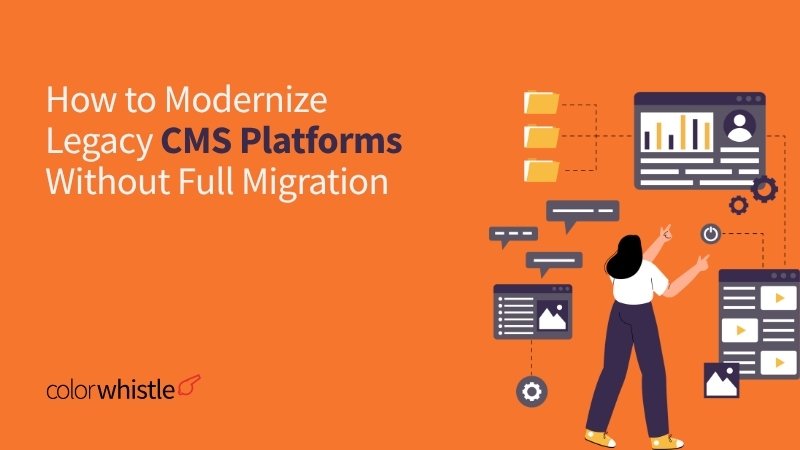
Modernize Your Legacy CMS Without Full Migration
This post explores how organizations can modernize legacy CMS platforms without full migration, addressing common pain points like performance, security, and integration limits. The key insight: strategic modernization extends CMS life by upgrading frontend design, cleaning plugins, enhancing content workflows, and implementing headless architectures or middleware integrations. It serves digital teams facing costly, risky migrations, promising improved SEO, security, and editorial productivity while preserving existing investments. The article guides readers through practical steps and signs for eventual migration, encouraging a phased, intentional approach that balances innovation with operational stability for long-term digital success.
Your CMS was state-of-the-art when you launched it. Today, it’s the thing your developers dread touching and your marketing team has learned to work around. Sound familiar?
Legacy CMS platforms are one of the most persistent pain points in enterprise digital operations. Replacing them entirely migrating content, redesigning workflows, retraining teams, and rebuilding integrations is expensive, risky, and time-consuming. Yet doing nothing means accumulating technical debt, security vulnerabilities, and performance issues that slowly erode your digital experience.
The good news: full migration is rarely your only option. There’s a middle path strategic modernization that lets you upgrade core capabilities, improve performance, extend functionality, and tighten security, all while staying on the platform you already own. This guide walks you through exactly how to do it.
TL;DR
Who This Is For:
This blog is for IT Directors, Web Platform Managers, Digital Operations Managers, Enterprise Architects, CMS Administrators, and Technical Project Managers who manage aging CMS platforms and need practical strategies to improve performance, security, and UX without committing to a costly full migration.
- Why businesses stay stuck on outdated CMS platforms technical debt, cost, and risk aversion explain most of it.
- The core limitations of legacy CMS systems today, including plugin sprawl, poor mobile performance, and widening security gaps.
- Practical modernization tactics theme upgrades, performance optimization, plugin audits, and database cleanup that don’t require a platform switch.
- How integrations and middleware (APIs, headless layers, iPaaS) can extend CMS capabilities far beyond native limits.
Why Businesses Stay Trapped in Outdated CMS Ecosystems
Before you can modernize a legacy CMS, it helps to understand why organizations haven’t already. The reasons are rarely technical complacency; they’re practical and often understandable.
Migration cost and complexity: Full migrations require significant budget for content audit, data migration, integration rebuilds, and post-launch stabilization. For enterprise platforms, this can run into hundreds of thousands of dollars, making “let’s just keep patching” an easy default.
Deeply embedded custom code: Many legacy CMS instances have years of custom plugins, proprietary integrations, and business-critical workflows built directly into the platform. Untangling these isn’t migration, it’s archaeology. Teams fear touching systems that “somehow just work.”
Risk aversion and business continuity: A live CMS drives SEO rankings, customer-facing content, and internal workflows. Any disruption has an immediate business impact. Decision-makers often calculate that the risk of a failed migration outweighs the pain of the status quo.
Skill gaps and institutional knowledge: Staff who understand the legacy system inside-out are valuable. Moving to a new CMS means retraining teams, rebuilding muscle memory, and navigating a productivity dip during transition.
Did You Know?
Cyberattacks on outdated software surged 54% YoY Attacks exploiting outdated software surged 54% year-over-year, according to the 2024 Indusface State of Application Security Report, as cybercriminals focus on systems with no patching cadence.
Core Limitations of Legacy CMS Platforms Today
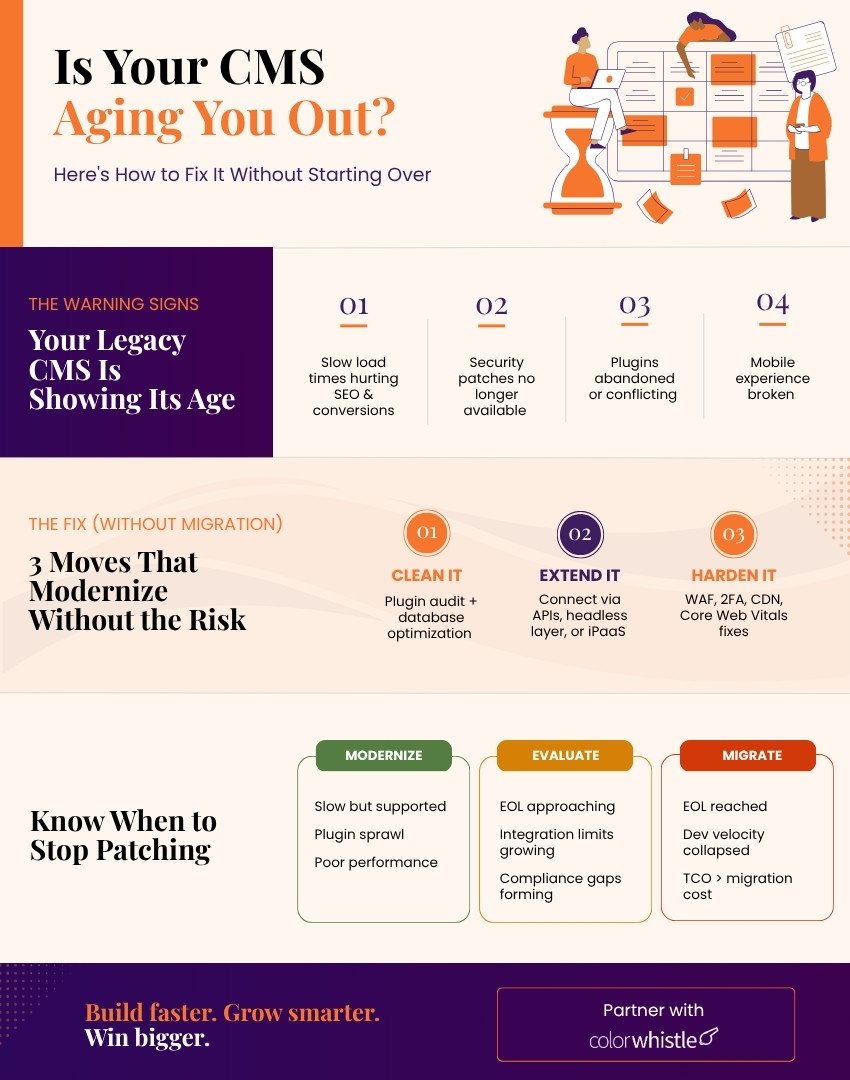
Understanding what’s actually broken versus what just feels outdated is critical to building a targeted modernization plan. The most common legacy CMS pain points fall into five categories:
- Performance degradation: Bloated databases, unoptimized images, excessive HTTP requests, and outdated PHP or server configurations cause slow load times directly impacting SEO rankings and conversion rates.
- Security vulnerabilities: Unsupported plugins, outdated core versions, and lack of regular patches create exploitable attack surfaces. Legacy CMS platforms are disproportionately represented in breach of statistics.
- Plugin and extension sprawl: Plugins installed over years many no longer actively maintain compatibility conflicts, performance overhead, and unpredictable behavior during updates.
- Poor mobile and Core Web Vitals performance: Older CMS themes and architectures were not designed with mobile-first or performance scoring in mind. Google’s ranking signals increasingly penalize platforms that fail Core Web Vitals benchmarks.
- Limited API and integration capability: Legacy systems often lack native REST or GraphQL API layers, making it difficult to connect with modern martech stacks, personalization engines, or commerce platforms without complex workarounds.
Methods to Modernize Design and Functionality Without Replatforming
This is where the real opportunity lies. Modernization doesn’t require a platform switch. With the right approach, you can dramatically improve your CMS’s frontend experience, performance profile, and editorial capability without touching the underlying system.
Theme and Frontend Refresh: A complete visual overhaul is achievable through a theme or template to rebuild without migrating content or infrastructure. For WordPress modernization specifically, this means replacing legacy themes with block-based themes using Full Site Editing (FSE), adopting the Gutenberg editor if still using Classic Editor, and implementing a design system with consistent typography, spacing, and color tokens. The result: a modern UX that users and search engines can’t distinguish from a fresh build.
Plugin Audit and Cleanup: A structured CMS plugin cleanup is one of the highest-ROI modernization activities available. Start by cataloging every active and inactive plugin, assessing last-updated dates, support status, and compatibility with your current core version. Deactivate and delete anything unused. Replace abandoned plugins with maintained alternatives. Consolidate functionality where multiple plugins duplicate capability. This process alone can cut page load times by 20–40% while meaningfully reducing attack surfaces.
Content Architecture and Editorial Workflow Improvements: Without changing the platform, you can restructure content types, taxonomies, and metadata schemas to better serve editorial teams and SEO strategy. Introducing custom post types, ACF (Advanced Custom Fields) structures, or structured content models brings order to chaotic content libraries and enables better multi-channel publishing without replatforming.
Also Read
Extending CMS Capability Through Integrations and Middleware
A legacy CMS’s native feature set doesn’t have to define its ceiling. Through smart integration architecture, you can extend it far beyond what its original developers envisioned.
Headless and Decoupled Architecture
A CMS API strategy through headless decoupling is arguably the most powerful modernization move available without full migration. By exposing your CMS content via REST or GraphQL APIs and delivering the frontend through a modern JavaScript framework (Next.js, Gatsby, Nuxt), you get the performance benefits of static site generation or server-side rendering while keeping your editorial team in the CMS they know. WordPress, for example, has a robust REST API and WPGraphQL plugin ecosystem that enables this pattern without core modification.
Also Read
iPaaS and Middleware Connectors
Integration Platform as a Service (iPaaS) tools like Zapier, Make (formerly Integromat), or enterprise options like MuleSoft and Boomi allow legacy CMS platforms to connect with CRMs, marketing automation platforms, analytics tools, and e-commerce systems without requiring custom API development on the CMS side. This dramatically extends your martech ecosystem without touching the CMS’s core architecture.
Third-Party Search and Personalization Overlays
Replacing native CMS search with Algolia or Elasticsearch or adding a personalization layer via Optimizely or Dynamic Yield, delivers enterprise-grade capability on top of a legacy platform. These solutions integrate via JavaScript for snippets or webhooks with no platform migration required.
Also Read
Improving Performance and Security While Staying on Legacy CMS
CMS performance optimization and security hardening are the most immediate wins available to platform teams. These changes require no architectural decisions, just disciplined execution.
Performance Optimization
- CMS database optimization: Clean orphaned metadata, post revisions, transients, and spam comments. Use tools like WP-Optimize or custom SQL queries. A well-maintained database can reduce query time by 30–50%.
- Implement full-page caching: Tools like WP Rocket, W3 Total Cache, or server-level Varnish caching serve pre-built HTML instead of generating pages dynamically on every request.
- Adopt a CDN: Offloading static assets (images, CSS, JS) to a CDN like Cloudflare or BunnyCDN dramatically improves global page load times and reduces origin server load.
- Image optimization pipeline: WebP conversion, lazy loading, and responsive image srcsets can reduce page weight by 40–60% on image-heavy sites.
- Core Web Vitals tuning: Address LCP, CLS, and INP through font loading optimization, render-blocking resource elimination, and layout stability fixes.
Security Hardening
- CMS security updates: Establish a monthly patch cadence for core, themes, and plugins. Automate security only updates where possible.
- Web Application Firewall (WAF): Cloudflare, Sucuri, or Wordfence provide application-layer threat filtering without infrastructure changes.
- Two-factor authentication and role-based access control: Enforce 2FA for all admin accounts and audit user role assignments to enforce least-privilege.
- SSL/TLS and security headers: Ensure HTTPS with up-to-date TLS configurations, and implement Content Security Policy, HSTS, and X-Frame-Options headers.
- Regular vulnerability scanning: Tools like WPScan (for WordPress) or commercial DAST tools should run on a scheduled basis.
Did You Know?
Globally, organizations spend an average of 30% of their IT budgets and invest 20% of their IT resources on technical debt management, according to Protiviti’s Global Technology Executive Survey.
Signs That Patching is No Longer Enough and Migration is Required
Modernization buys time and value, but it has limits. There are clear inflection points at which continued patching becomes more expensive, riskier, and less effective than a structured platform of migration. Watch for these signals:
- End of life (EOL) core platform: If your CMS core version is no longer receiving security patches from the vendor, no amount of plugin-level patching compensates for unpatched core vulnerabilities.
- Integration requirements the CMS can’t support architecturally: When your martech roadmap demands capabilities that require architectural changes, the CMS fundamentally cannot accommodate; middleware workarounds become unsustainable.
- Developer’s velocity collapse: When your engineering team spends more than 30–40% of sprint capacity on maintenance, hotfixes, and compatibility issues rather than feature development, the platform is imposing a structural tax on your ability to compete.
- Compliance and regulatory gaps: GDPR, CCPA, HIPAA, or PCI compliance requirements that the CMS cannot meet through configuration, or plugin-level changes are non-negotiable triggers for migration.
- Total cost of ownership exceeds migration cost: When the ongoing cost of platform team time, security incidents, performance penalties, and opportunity cost exceeds the projected cost of a well-scoped migration, the business case for replatforming becomes clear.
Final Thoughts – Modernize Strategically, Migrate Intentionally
Legacy CMS modernization is not a compromise; it’s a strategy. For most organizations, the path forward isn’t an immediate platform to switch. It’s a structured program of incremental improvements: cleaning up the plugin ecosystem, hardening security, optimizing the database, decoupling the frontend, and extending capability through APIs and integrations.
Done right, this approach can extend the useful life of a CMS platform by three to five years while delivering measurable gains in performance, security posture, and editorial productivity. It preserves institutional knowledge, protects existing integrations, and gives your team time to plan a migration properly when and if the time comes.
At ColorWhistle, we help enterprise teams navigate exactly this kind of challenge from rapid CMS audits and performance remediation to decoupled architecture design and phased migration planning. If your legacy CMS is holding back your digital operations, let’s talk about what modernization looks like for your specific platform and roadmap.
Ready to modernize your CMS? Reach out to the ColorWhistle team to explore a CMS performance audit, plugin cleanup sprint, or headless architecture roadmap tailored to your platform.
FAQ’s
Can I improve my CMS security without upgrading the entire platform?
Yes. Applying a Web Application Firewall (WAF), enforcing 2FA, and maintaining a regular patch cadence for core, themes, and plugins significantly reduces your attack surface no platform switch needed.
How do I know if my CMS needs modernization or full migration?
If your platform still receives vendor support and your integrations are manageable, modernization is viable. Full migration becomes necessary only when you hit EOL status, compliance gaps, or your dev team spends more time on maintenance than on building.
Will modernizing my legacy CMS affect my existing content or SEO rankings?
Done correctly, it won’t. Modernization tactics like theme rebuilds, plugin cleanup, and performance optimization preserve your URL structure and content, often improving your Core Web Vitals scores and search rankings in the process.
 Frontend Modernization with APIs | No Backend...