AI-Assisted Website Design: Enhancing Creativity and Efficiency

With half a decade of experience in creating tech content for education, healthcare, hospitality, and real estate, Nandhini excels at turning complex insights into clear, credible, in-depth, research-backed, and engaging content that helps readers make informed decisions.

Our authors are proven experts in their fields, writing on topics where they have demonstrated expertise. Every piece of content undergoes peer review and validation by industry professionals.
AI Summary
Key Highlights of AI-Assisted Website Design Efficiency
AI continues to reshape how modern websites are planned, designed, and built. What once took weeks of manual effort can now be streamlined with intelligent automation, real-time insights, and design tools that understand user behavior. But even with the buzz, many teams still aren’t clear on what AI actually does in web design or how it fits into a professional workflow.
This updated guide walks through how AI supports designers and development teams today, where it adds real value, and how it enhances creativity without replacing human thinking.
What Is AI in 2026? A Quick Refresher
Artificial Intelligence is the technology that allows software to analyze data, recognize patterns, learn from interactions, and make intelligent decisions without human intervention.
Today, AI powers:
- Search engines
- Personal assistants
- Design tools
- Chatbots
- Synthetic content generation
- Predictive analytics
In website design, AI has become a core part of improving user experience, accelerating production, and making design decisions based on real data instead of guesswork.
How AI Is Used in Website Design Today
AI has emerged as a critical technology in website design service agencies due to its ability to automate processes, perform data analysis, and enhance user experiences. AI aids designers in creating customized experiences that align with user preferences and improving mobile optimization.
AI in website design is no longer limited to auto-generating template sites. In professional workflows, AI helps teams:
- Analyze user behavior
- Personalize experiences
- Automate repetitive tasks
- Predict user intent
- Optimize content for SEO and conversions
- Improve accessibility
- Speed up wireframing and prototyping
Human creativity still leads the project, and AI acts as an intelligent assistant that makes the work faster and more data-driven.
Strategy & Goals: Using AI to Identify Purpose and Audience
AI uses data analysis and machine learning algorithms to help you identify the right target audience.
Before a single page is designed, AI tools help define:
Purpose
AI analyzes competitor sites, user behavior trends, and industry-specific design patterns to guide what type of content structure will perform best.
Main Goals
Machine learning models identify what users typically expect from a website in your niche. This helps define goals like:
- More inquiries
- More sign-ups
- Better product discovery
- App downloads
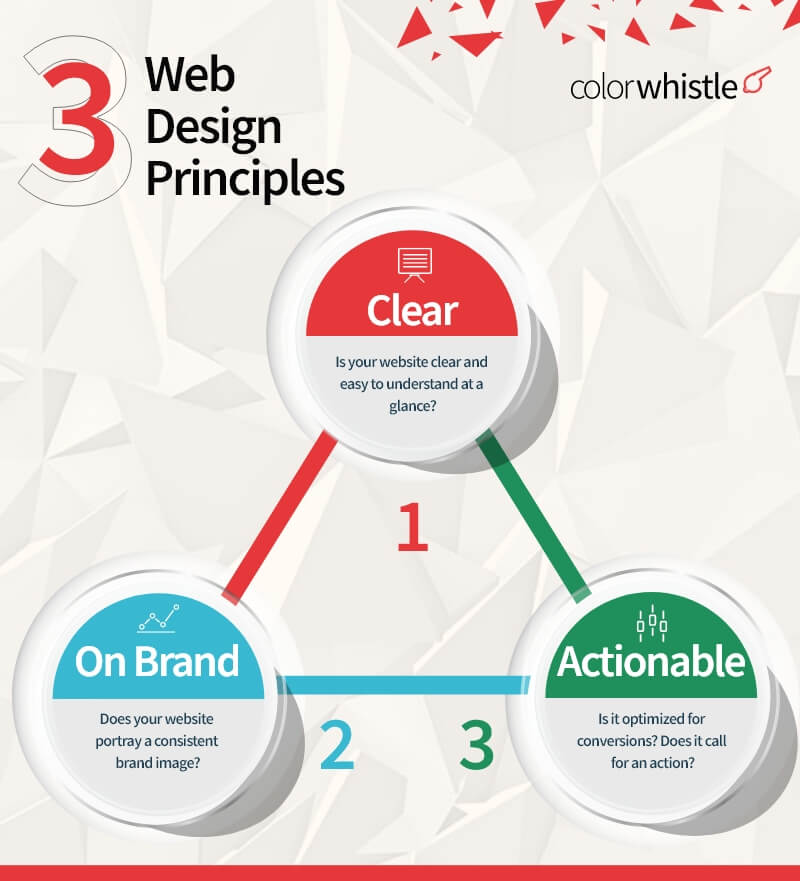
Target Audience
AI can segment users based on demographics, intent, device patterns, and browsing behaviour. This allows designers to build more personalized user journeys right from the start.
Planning: Choosing the Right Builder, Sitemaps, and Wireframes
AI chooses the right website builder and creates effective sitemaps and wireframes using NLP and computer vision techniques like image recognition and object detection.
Choosing the Website Builder
AI now evaluates:
- Project complexity
- Expected traffic
- Required integrations
- Mobile behavior
- Budget constraints
Tools like Wix ADI, WordPress AI assistants, and Framer AI can recommend the best build approach based on your needs.
AI-Generated Sitemaps
AI crawls similar websites, user search behavior, and industry structure to suggest:
- Ideal page hierarchy
- Missing pages
- Recommended navigation depth
- Internal linking strategy
This reduces the guesswork and ensures information architecture supports SEO and usability.
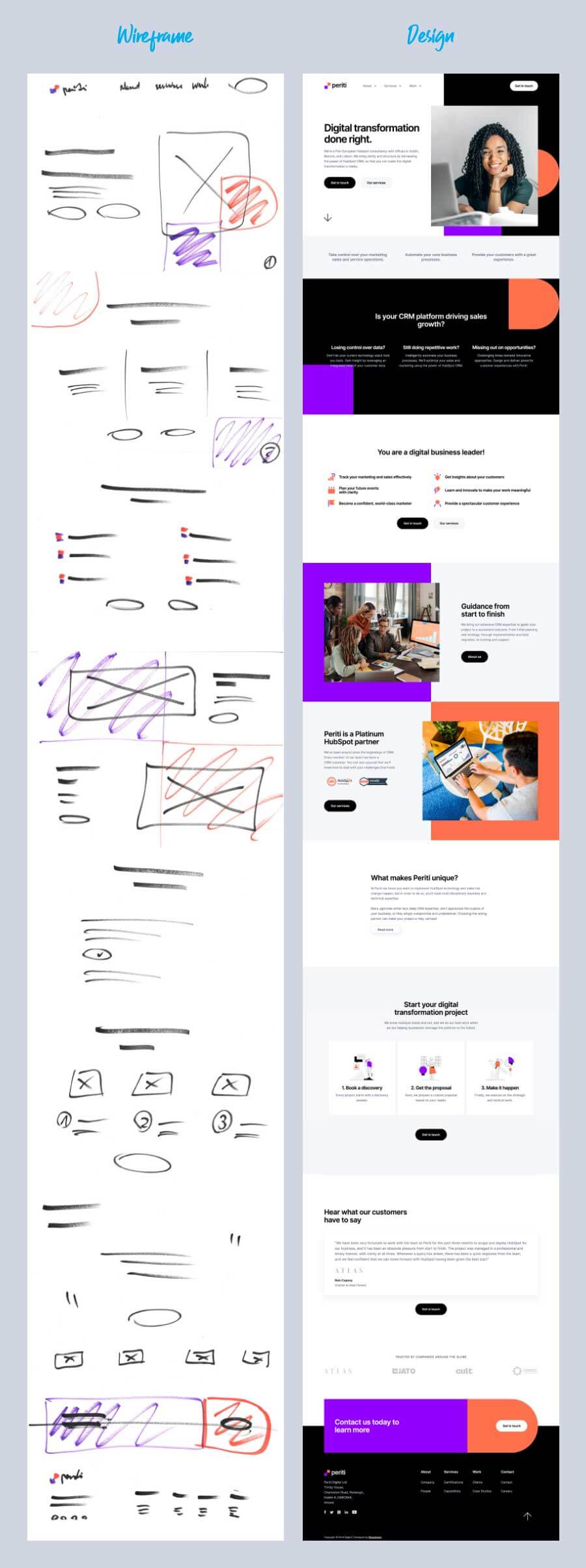
Wireframe Creation
AI-powered wireframe generators now create layout options based on:
- Heatmap predictions
- Eye-tracking probability
- Conversion-focused placements
- Previous user behavior
Did you know?
Figma AI reduces early wireframing time by 30 to 50 percent
Source: Figma AI Launch Data 2024
AI can also instantly convert hand-drawn sketches or rough layouts into editable prototypes.
UI/UX: Using AI for Better Pages and Better Content
In the UI/UX design process of website design service, AI plays a major role in analyzing what users want and how they interact.
Adding Right Pages
AI models identify which pages users expect based on:
- Search queries
- Bounce rates
- Funnel behavior
- Industry benchmarks
Example: If customers commonly search for “compare pricing,” AI may suggest adding a comparison page.
Content Gathering & Structuring
AI can:
- Curate topic ideas
- Summarize long content
- Identify missing information
- Suggest tone styles
- Generate draft text
But human editing ensures brand voice and accuracy remain intact.
Design Elements: AI-Powered Colors, Typefaces, and Graphics
AI generates design elements such as logos, icons, and even entire web page layouts using tools. It also analyzes user data and suggests changes to design elements, such as font size or color, to improve user engagement and conversion rates.
Colors
AI tools recommend palettes from brand values, images, user psychology, and modern design trends.
Typefaces
AI suggests font pairings based on:
- Brand tone
- Readability
- Mobile-first design
- Accessibility standards
Graphics
Using an AI-assisted graphic design service, we can generate:
- Icons
- Illustrations
- Hero images
- Layout variations
- Social media creatives
They compress and optimize them automatically for better performance.
AI tools Involved in Website Designing Services
- Colormind and Khroma – For creating harmonious color palettes.
- Postcards AI – Email Builder for Designers
- Vance AI – Image processing and automatic photo editing instrument
- Dall-E – Generates digital images from natural language descriptions
- Designs AI – It has Logomaker, graphic maker, Videomaker, Speechmaker, Designmaker, Color matcher, and Font pairs
Useful AI Tools in Modern Website Design (2026)
Design & Visuals
- Midjourney
- Adobe Firefly
- Designs.ai
- DALL-E
- VanceAI
Colors & Branding
- Khroma
- Colormind
Wireframes & Prototypes
- Uizard
- Figma AI
- Framer AI
Content & UX
- Jasper
- Writer
- Notion AI
- Surfer AI
These tools support designers but do not replace the need for solid user research, accessibility considerations, and strategic thinking.
Maximizing Performance with AI
Mobile Optimization
AI automatically adjusts:
- Layouts
- Buttons
- Fonts
- Images
- Breakpoints
- Page speed
All based on the device context of your target audience.
Image Optimization
AI compresses images intelligently while preserving clarity, reducing load times without manual effort.
Adding chatbots
AI chatbots now handle:
- Pre-sales questions
- Product filtering
- FAQ
- Lead generation
- Appointment booking
They also personalize the conversation based on user behavior in real time.
Smart 404 Pages
AI analyzes search patterns and suggests:
- Relevant internal links
- Top pages
- Search bar prompts
This reduces user frustration and improves retention.
Development, Testing, Feedback, and Maintenance
AI enhances the full development cycle:
Development
- Automates repetitive coding tasks
- Suggests optimized code blocks
- Improves accessibility compliance
- Detects security vulnerabilities early
Testing
AI-powered testing tools now catch:
- UI inconsistencies
- Broken scripts
- Layout issues across devices
- Form errors
- Load time problemsd
Feedback
AI reviews:
- Heatmaps
- Scroll depth
- Click behavior
- Session replays
It recommends UX improvements based on real interactions.
Maintenance
AI monitors:
- CMS health
- Plugin conflicts
- Uptime issues
- Performance dips
- SEO changes
- Broken links
It fixes many issues automatically and alerts teams before users are affected.
Final Thoughts: AI Enhances Humans, It Doesn’t Replace Them
AI has become a practical partner in the website design workflow. It automates the repetitive work, speeds up production, and gives data-driven insights so designers can focus on creativity, strategy, and problem-solving.
In 2026, the winning combination is:
- AI for efficiency
- Human expertise for creativity, empathy, and judgment
This blend leads to faster builds, better UX, stronger branding, and websites that adapt continuously to real user behavior.
The idioms “work smarter, not harder” and “putting the pedal to the metal” come to mind when thinking about AI-assisted website design, as it allows designers to work smarter, not harder, and put their skills to the test, resulting in a more efficient and effective end product.
Browse through our ColorWhistle page for more related content and to learn about our services.
What’s Next?
Now that you’ve had the chance to explore our blog, it’s time to take the next step and see what opportunities await! Start with us our graphic design services today!
 How to Migrate to a New Domain During a Websi...